








A 2026 guide to the best subcontractor management software designed to improve coordination, efficiency, and project performance.
Every day, general contractors manage subcontractors across multiple sites:
- constantly chasing progress updates via texts and emails
- digging through 6 different chats to find an RFI
- scrambling when a missing crew holds up the next trade
Those three headaches—scattered communication, missed deadlines, and messy documentation—don’t just waste hours; they multiply costs of claims, create rework, delay approvals, and stall payments.
You're here to find a fix. But the fix isn’t more features, it’s high adoption on the site.
Here comes my #1 advice for you: a software solution matters only if your entire crew uses it. Big, all-in-one platforms that bury field tasks under accounting, HR, and admin features create training friction and low adoption. Especially for subcontractors who are time-poor on-site.
What works is a simple, mobile-first tool that does three things really well:
- project-linked communication (in-app messages, updates, and photos attached to the exact task so context isn’t lost)
- centralized documentation and approvals with automatic versioning and searchable logs (so you can prove who changed what and when)
- task management with clear assignments, deadlines, and live progress tracking (so bottlenecks show up before they cost you)
This article is your practical guide: a concise checklist, field-tested criteria, and a comparison of the best options to help you pick subcontractor management software that your crews will use, and that will stop problems before they snowball.
Do you actually need subcontractor management software?
Not every contractor needs dedicated software from day one. Smaller teams running one or two sites can often manage with a shared spreadsheet and a group chat.
But as your project count grows and more subs come into the picture, manual systems start to create the exact problems they were meant to solve.
Here are the signs it is time to switch:
- You are managing subcontractors across more than two active sites and losing track of who is doing what, where.
- Compliance paperwork, chasing insurance certificates, W-9s, and license renewals, is eating hours every week.
- Communication is scattered across WhatsApp, email, and phone calls, and no one has a clear record of what was agreed.
- Deadlines are slipping because a trade held up the next crew and nobody flagged it early enough.
- Invoices and payment approvals are going back and forth over email, slowing down your cash flow.
If three or more of those sound familiar, a dedicated tool will save you more time than it costs. If only one applies, a simpler system might still be enough for now.
Quick comparison table
Here is a side-by-side overview of all seven tools before we get into the detail:
|
Tool |
Best for |
Starting price |
Mobile app |
G2 rating |
Free trial |
|
Buildbite |
Field teams, SMBs wanting fast adoption |
$179/mo (Monthly) |
Yes |
— |
14 days |
|
Knowify |
Specialty trade contractors |
$149/mo (Monthly) |
Yes |
4.5/5 |
14 days |
|
Fieldwire |
Field coordination across multiple crews |
Free / $54/user (Monthly) |
Yes |
4.5/5 |
Free tier |
|
eSUB |
Commercial trade contractors |
Quote based |
Yes |
4.5/5 |
Demo only |
|
WorkBuddy |
Trades and field service businesses |
250 AUD/mo (Annually) |
Yes |
4.0/5 |
Demo only |
|
Contractor Foreman |
Small to mid-sized contractors on a budget |
$49/mo (Annually) |
Yes |
4.5/5 |
Yes |
|
Buildertrend |
Mid to large firms, residential builders |
$449/mo Quote based |
Yes |
4.2/5 |
No
|
Here are the 7 subcontractor management software options I’ll review:
1. Buildbite
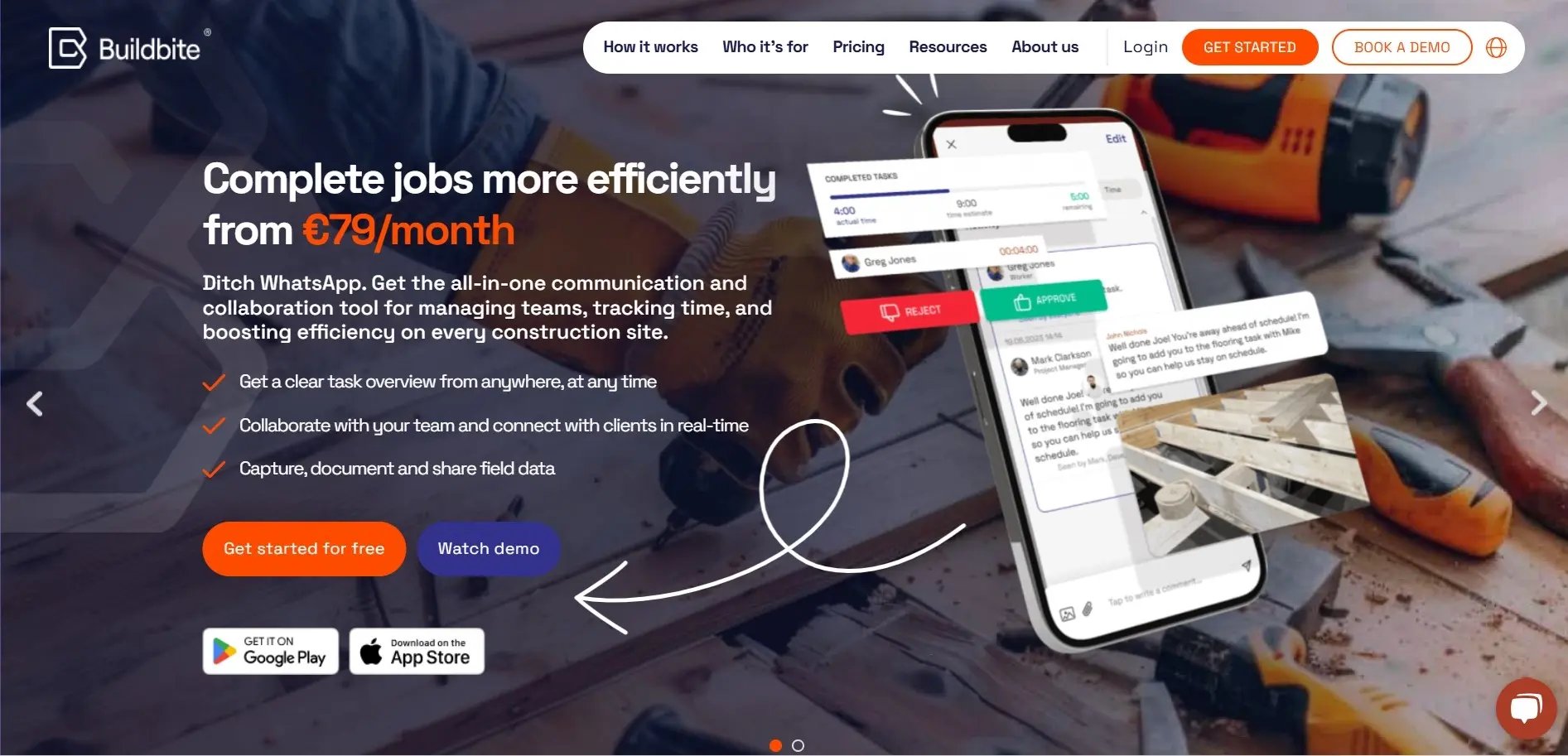
Best for: Small to mid-sized contractors and field teams who need fast adoption and mobile-first simplicity.
Buildbite is a mobile-first field management app focused on adoption-first simplicity. Built for field crews and project teams, it trims away unnecessary enterprise features so users start getting value fast with minimal training.
Best of all, it works alongside your existing systems rather than replacing them. You get predictable, field-accurate records and smoother handoffs without the cost and complexity of an ERP.
Here’s how that simplicity plays out on site:
Stop chasing context. Every message, photo, and plan lives on the job
Buildbite ties texts, photos, and videos directly to the specific task or job, so context isn’t lost in endless WhatsApp chats.
Field crews attach media and notes to task cards (not to a generic thread), segmented chats separate clients, subs, and internal teams, and instant notifications flag changes the moment they happen.
.webp?width=1600&height=800&name=replacing%20windows%20(1).webp)
The result: fewer clarification calls, faster on-site decisions, and a clear record you can pull up in seconds — so issues are resolved where they happen, not after a costly mistake.
Hit your deadlines. Assign, measure, and fix bottlenecks before they snowball
Buildbite shows each subcontractor only the tasks they have for the day, with clear instructions, date ranges, and assignees, so any confusion about scope disappears.
- One-tap time logging records actual hours against tasks
- Live progress bars reveal stalled activities
- Automated alerts trigger when tasks exceed time or budget threshold
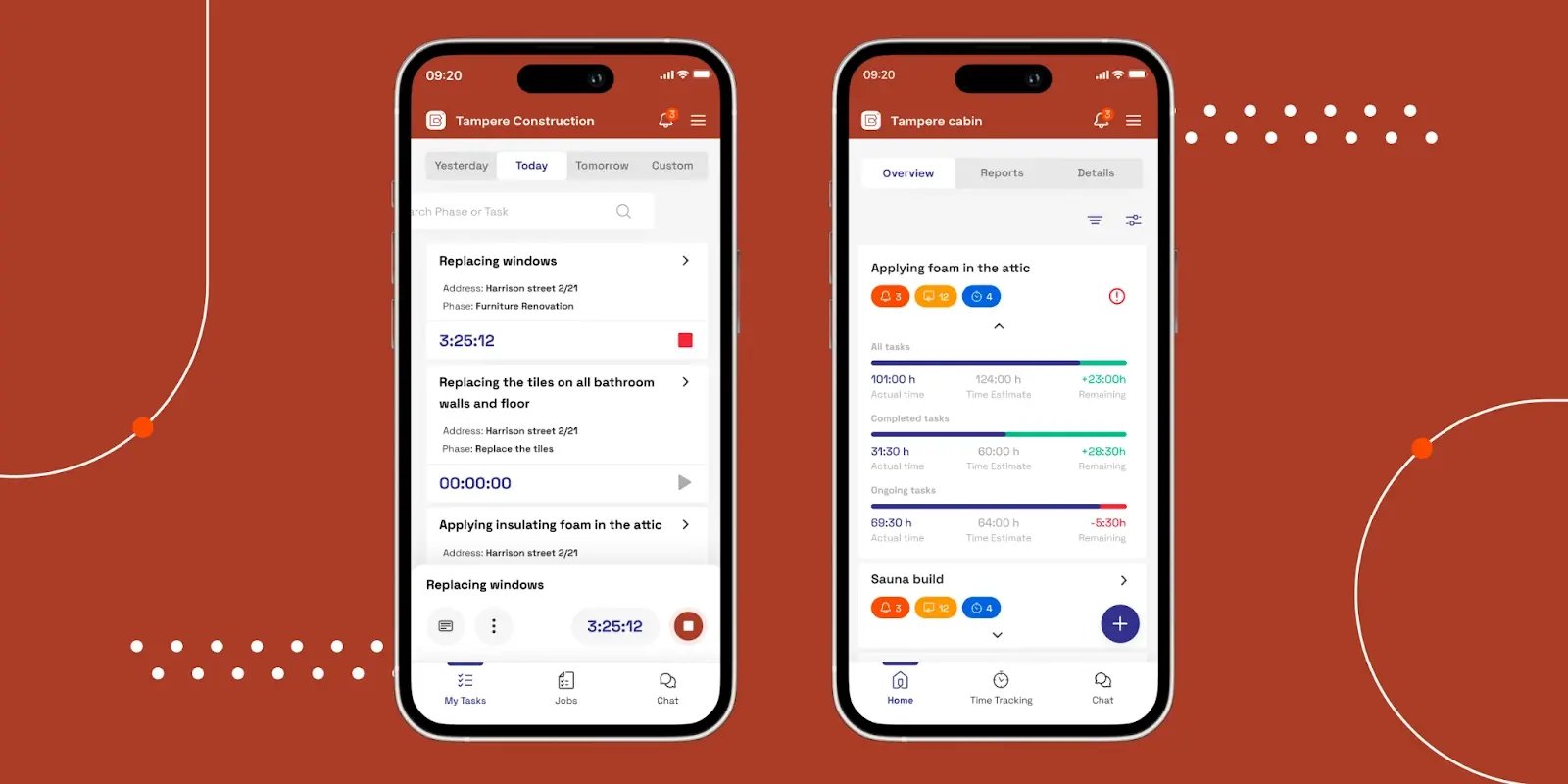
Allowing you to reassign or add extra crews before a delay snowballs. This combination turns reactive firefighting into proactive schedule management.
Prove work fast. Photos, versions, and an audit trail in one place
Instead of hunting for paper sign-offs, Buildbite stores every document, photo, and approval on the job with automatic versioning and searchable captions.
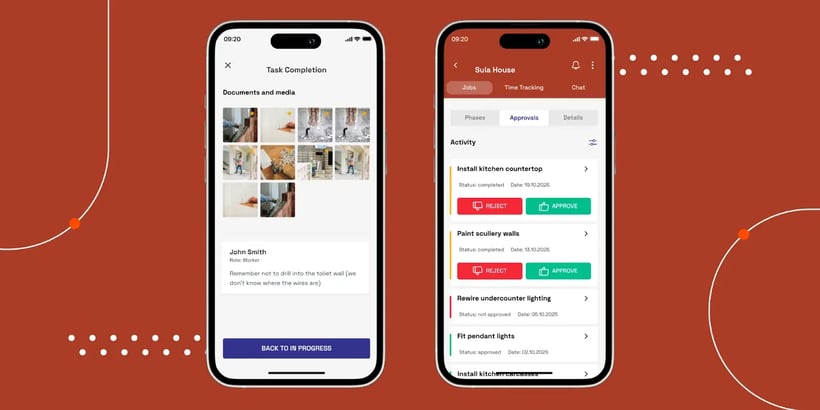
Media captured from the field is attached to the relevant task (so evidence is contextual), and a built-in audit trail records approvals and change requests for later disputes or invoicing, protecting your bottom line.
Not to mention, field teams typically double their on-site photo documentation after switching to Buildbite.
-> Learn more about Buildbite for General Contractors
Buildbite’s key features
- Messages and photos linked to tasks: Attach chats and pictures to the exact task so crews see context fast, stop back-and-forth calls, and fix issues right on the jobsite.
- Daily task lists and tracking: Each sub sees only their jobs for the day, with progress bars and alerts so you spot delays before they hold up the whole project.
- One-tap time tracking: Workers clock in and out on their phones, so hours are accurate for billing and payroll without messy paper timesheets.
- Photo-backed records: Photos and notes attach to tasks with version history, making it easy to prove work, speed approvals, and sort disputes quickly.
- Digital approvals: Get sign-offs in the app with timestamps so change orders and approvals happen fast — less paper, faster invoicing.
- Plays well with others: Links to accounting and other tools so Buildbite records field events without forcing you to swap systems.
Pros
- Mobile-first: Works on phones so crews can update tasks, send photos, and approve changes in under a minute—so they actually use it every day.
- Quick adoption: A clean interface and one-tap actions mean little to no training, so subs start using it fast and update work in real time.
- Straightforward pricing: Plans cover core field tools without hidden module fees, so costs stay predictable as your crew grows.
- Field-focused: Keeps only the features crews need for day-to-day work, avoiding clutter so teams use what helps them finish jobs on time.
Buildbite limitations
- Buildbite focuses on small and medium-sized businesses. It is not intended for large enterprises managing projects in the $500 million to $1 billion range.
Buildbite pricing
Buildbite has three transparent pricing packages, with no hidden costs or additional fees
|
Plan |
Monthly Cost |
Users |
Data Storage |
|
Basic |
$179 |
Up to 10 |
10GB |
|
Standard |
$334 |
Up to 25 |
10GB |
|
Premium |
$559 |
Up to 50 |
10GB |
Cost savings up to 31% by opting for Buildbite’s annual subscription plans.
Buildbite offers a free 14-day trial on all packages with full access to all features, allowing you to experience firsthand how the app simplifies communication, coordination, and centralized management of subcontractors across your projects.
Buildbite reviews
Curious to see how much time and money Buildbite can save you? Check out our ROI calculator.
2. Knowify
.webp?width=1163&height=691&name=Knowify%20homepage%20(2).webp)
Best for: Specialty trade contractors who need compliance tracking, job costing, and QuickBooks integration in one platform.
Knowify is construction software that helps with operations management. It integrates various aspects of business management into a single, cloud-based solution, allowing companies to streamline their processes and improve efficiency.
Key Features
- Subcontractor Database: Organize and classify subcontractors by project, track contact information, and store important documents like licenses and insurance.
- Document Management: Upload and store subcontract agreements, licenses, and other relevant documents with automatic expiration tracking and alerts.
- Communication & Collaboration: Communicate directly with subcontractors through the platform, assign tasks, and share project updates.
- Time Tracking and Billing: Track subcontractor hours and generate invoices directly within Knowify.
- Reporting: Gain insights into subcontractor performance with daily reports on productivity, billing status, and document compliance.
Pros
- Mobile application keeps field crews and office teams connected without requiring a desktop.
- Integrates with QuickBooks, so job costing and invoicing stay in sync without double entry.
- Built-in compliance tracking stores subcontractor licenses, insurance certificates, and W-9s, and sends automatic alerts before anything expires.
- Subcontract management lets you generate and track subcontracts as purchase orders, keeping project budgets current with every invoice.
- Reporting gives you daily visibility into subcontractor performance, billing status, and document compliance across active jobs.
Limitations
- The price can be expensive for small businesses.
- Some users find the platform difficult to navigate.
- It has a steep learning curve, which might be challenging for those without technical expertise.
- It may not fully meet the needs of large construction companies with complex requirements.
- The pricing could be considered high for small businesses.
Pricing
Knowify offers three-tier pricing plans: Core, Advanced, and Enterprise. Core is the basic plan and costs $149/month, while the Advanced plan costs $311 per month. The Enterprise plan price is not publicly available.
Reviews
3. Fieldwire-webp.webp?width=2320&height=1100&name=fieldwire%20homepage%20(1)-webp.webp)
Best for: Field coordination and punch list management across multiple crews, especially on large commercial sites.
Fieldwire is a cloud-based construction management software platform designed for the construction industry. It facilitates communication and collaboration among project stakeholders, including field teams and subcontractors.
Key Features
- Subcontractor-Centric Communication: Assign tasks directly to subcontractors, track progress, and foster communication with instant messaging and markups on plans.
- Document Management: Store and share project documents like forecasting plans, RFIs, time cards, and submittals.
- Task Management: Streamline workflows with task assignments, progress tracking, and completion updates.
- Daily Log Reporting: Capture daily activity logs on the job site with photos and notes to keep everyone informed and ensure project transparency.
Pros
- Mobile application is purpose-built for the field, not adapted from a desktop tool, so crews actually use it on site.
- Streamlines communication between office and field with task-level messaging, so context is attached where the work is happening.
- Strong offline functionality means field crews can update tasks and log photos even without a reliable connection on site.
- Free plan available for small teams, making it accessible for subcontractors who want to test field coordination tools before committing to a paid tier.
Limitations
- Users requiring advanced features for financial tracking, comprehensive invoicing, and streamlined payment processing might find this software limited.
- Customization options for reports and workflows are somewhat limited.
- Some users find the software difficult to use.
- It has a steep learning curve.
Pricing
Fieldwire offers four tiers of pricing plans: Basic, Pro, Business, and Business Plus. The Basic is free, while the pro costs $54 per user per month. The Business plan costs $79 per user per month, and the Business Plus plan costs $104 per user per month, respectively.
Reviews
4. eSUB
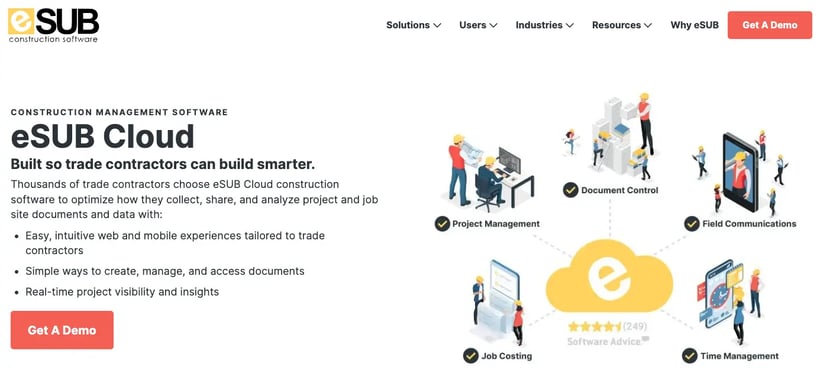
Best for: Commercial trade contractors who need document control, RFI tracking, and time management in a single platform
eSUB is a construction project management software. It provides tools for tracking project documents, managing change orders, scheduling, time tracking, and communication among team members.
Key Features
- Project Management & Scheduling: Create and manage project schedules, track tasks, and collaborate with general contractors and subcontractors.
- Document Management & Collaboration: Upload, store, and share project documents like contracts, drawings, and RFIs (Requests for Information) with secure access control.
- Time Tracking & Labor Management: Track crew hours and labor costs and manage timesheets directly within eSUB.
- Change Order Management & RFI Tracking: Streamline the process of submitting, reviewing, and approving change orders and RFIs.
Pros
- Mobile app
- Automates repetitive tasks
- Cost-effective
Limitations
- Some users report a steep learning curve.
- There are reports of slow performance and bugs in the mobile app.
- For smaller subcontractors, the cost of the software may be prohibitive without guaranteeing a significant ROI.
- The platform is built primarily for commercial trade contractors and may feel over-engineered for residential or smaller-scope work.
Pricing
eSub’s pricing is quote based and you’ll have to reach out to their sales team to get the pricing that’s right for your needs.
Reviews
5. WorkBuddy
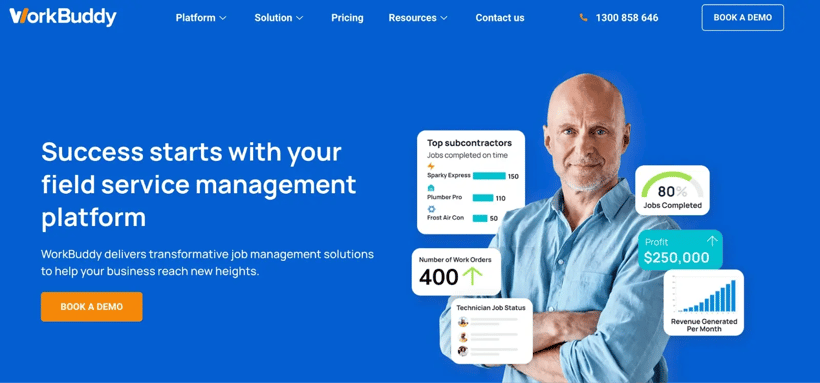
Best for: Trades and field service businesses in Australia and New Zealand needing job management with accounting integrations.
WorkBuddy is a job management system for trades, construction, and field service businesses. Its features extend beyond general job management and can enhance subcontractor management processes.
Key Features
- Field Service Management: Track subcontractors' whereabouts and receive real-time job updates.
- Mobile App: Empower subcontractors with a mobile device for streamlined communication and job completion.
- Project Management: Keep projects on track with features like budgeting, scheduling, and reporting.
- Accounting Integrations: Integrate with popular accounting software like MYOB and Xero for a smooth workflow.
Pros
- Real-time job updates
- Integrate with popular accounting software like MYOB and Xero
- Centralized information reduces administrative work and improves organization.
Limitations
- WorkBuddy can be complex to learn and set up for new users, so budget time for onboarding your team properly.
- Smaller contractors may find WorkBuddy too expensive relative to simpler tools that cover the same core needs.
- The platform lacks flexibility for highly customised workflows, which can be a constraint for businesses with non-standard processes.
- Pricing is in AUD and the product is built primarily for the Australian and New Zealand market, which limits its relevance for teams based elsewhere.
Pricing
WorkBuddy offers a tiered pricing model based on the number of users and the extent of features required. The basic plan, tagged as Core, starts at 250 AUD per month, while users will need to contact them for custom prices on the professional and enterprise packages.
Reviews
6. Contractor Foreman
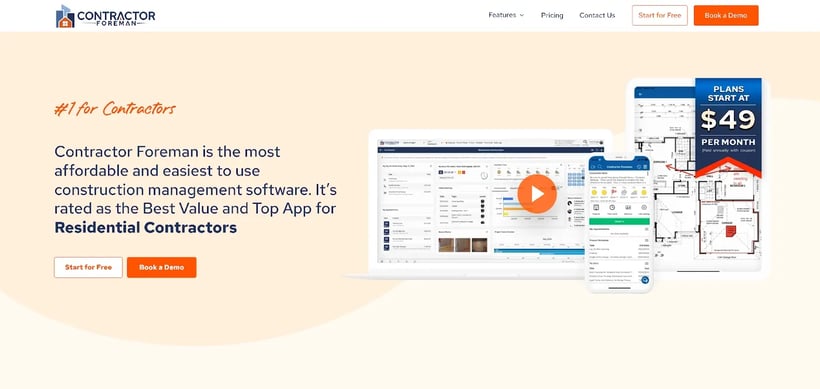
Best for: Small to mid-sized contractors who want a wide feature set at an affordable price, without paying per user.
Contractor Foreman is a value-driven subcontractor software designed for small to mid-sized contractors. It combines more than 35 features with affordable pricing and reliable mobile use in the field.
Key Features
- Time cards and GPS tracking keep accurate records of hours and locations.
- Daily logs, even offline, ensure updates are captured in poor connectivity areas.
- Punch lists and service tickets make closing out jobs and tasks straightforward.
- Document overlay feature helps teams compare and review plan revisions with ease.
- Integrations with QuickBooks Online, Google Calendar, and Gusto keep workflows connected.
Pros
- Unlimited users across all plans, encouraging full team adoption without extra cost.
- Mobile tools are praised for reliability, especially timecards and daily logs on-site.
- Transparent, low-cost pricing makes it accessible for growing teams moving off spreadsheets.
- Designed to balance a wide feature set with everyday simplicity for field crews.
Limitations
- May lack advanced features for complex projects, such as built-in takeoffs or selection budgets.
- Client portal is functional but less polished compared to competitors.
- Some reports of glitches and weaker QuickBooks integrations.
Pricing
They have four tiers of pricing ranging from $132 to $415 per month (quarterly plans and basic starts at $49 for annual plans), depending on the number of users needed.
Reviews
7. Buildertrend
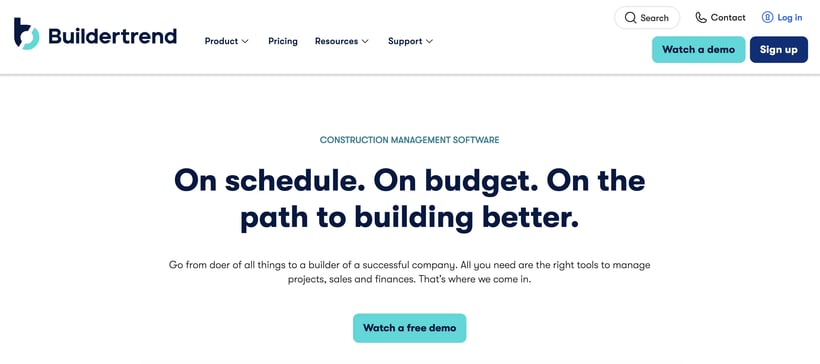
Best for: Mid to large residential builders and remodelers who need deep financial tools, Gantt scheduling, and a polished client portal.
Buildertrend is an all-in-one construction management platform aimed at mid-sized and large firms. Known for its financial depth and polished client portal, it caters to companies running complex projects.
Key Features
- Robust scheduling tools with Gantt charts and waterfall task dependencies.
- Built-in takeoffs, selection budgets, and advanced financial reporting tools.
- Client portal for approvals, invoices, and direct homeowner communication.
- Online payment processing and warranty cost tracking for full financial visibility.
- Wide integration ecosystem with Xero and open API support.
Pros
- Deep financial pipeline covering everything from takeoffs to payments.
- Premium client portal creates a professional, always-on experience for homeowners.
- Broad integration options with third-party software through open API.
- Comprehensive suite of features for companies managing many projects at once.
Limitations
- High price point, with most businesses paying $8,000–$10,000 annually.
- No free trial; demo required to explore features.
- Steep learning curve makes subcontractor adoption challenging, reducing field-level data accuracy.
- Reported mobile glitches and notification overload can frustrate field teams.
Pricing
Pricing is custom and quote based. You’ll have to reach out to their sales team to get a quote that fits your needs.
Reviews
What is the best software for subcontractors?
Buildbite is the best software for subcontractors. Here is why:
- Streamlined Operations: Buildbite emphasizes improving efficiency and saving subcontractors significant time and resources. It has features like easy task management, progress tracking, and real-time visibility, all in one place.
- Enhanced Collaboration: Buildbite promotes smooth collaboration between subcontractors, general contractors, and workers. This can lead to fewer misunderstandings, faster project completion, and a more positive working environment.
- Simplified Documentation: Buildbite offers tools for storing and uploading documents. This eliminates the hassle of searching for physical copies and reduces the risk of errors.
- Improved Communication: Buildbite has features for real-time communication, such as messaging or task comments. This allows subcontractors and specialty contractors to clarify questions, get updates, and avoid delays quickly.
- Increased Visibility: Buildbite offers progress-tracking features that allow subcontractors to showcase their work to general contractors. This can lead to better client relationships and potentially more work opportunities.
- No loose ends: Invite subcontractors to the app, assign subcontractor permissions, and ensure that every aspect of your project is meticulously tracked and managed, leaving no loose ends.
What is subcontractor management software?
Subcontractor management software, also known as subcontractor relationship management (SRM) software or subcontractor coordination software, is a specialized tool designed to streamline the management of subcontractors throughout the entire lifecycle of construction projects.
These projects often involve numerous subcontractors, each with specific tasks and responsibilities. Subcontractor management software empowers general contractors to oversee and manage these subcontractors effectively, leading to smoother project execution.
This software typically offers a comprehensive suite of features specifically tailored to the needs of construction companies and project managers.
5 Steps to choose the best Subcontractor management software
Here are 5 steps to help you choose the best subcontractor management software:
1. Identify your needs and goals
Begin by evaluating your current subcontractor management processes to identify gaps and inefficiencies. Define your specific challenges and what you hope to achieve with the software.
Are you looking to improve communication, streamline document management, or increase your operational efficiency? Once you have a clear picture of your goals, you can narrow your options to software solutions that address those specific needs.
2. Evaluate features and functionality
Research different subcontractor management software options and compare their features. Look for features that are important to you, such as:
- Contractor onboarding and prequalification
- Subcontractor compliance tracking (licenses, insurance certificates, W-9s, and expiration alerts) Compliance tracking is consistently the feature contractors wish they had set up earlier. Look for a tool that stores insurance certificates, trade licenses, and W-9s in one place and automatically flags anything that is about to expire. A missed expiration can halt a project or expose you to liability.
- Communication tools (messaging, file sharing)
- Project management tools (scheduling, task management)
- Time tracking
- Document management (upload Spreadsheets and other formats)
- Reporting and analytics (close out)
- Safety and compliance documentation for site inspections and certifications
3. Consider budget and scalability
Subcontractor management software can range in price depending on the features offered and the number of users. Determine your budget and choose a software that fits within your financial constraints. Also, consider if the software can scale with your business as you grow.
A note on generic tools versus construction-specific software:
It can be tempting to stick with a general project management tool like Monday.com or a spreadsheet. These work for very small teams, but they do not handle the things that make construction unique: lien waivers, subcontractor insurance tracking, RFIs, or field-to-office communication tied to specific tasks.
Construction-specific software costs more but saves significantly more in admin time and avoids disputes.
Here is how the two options compare:
|
Generic tools (e.g. Monday.com, spreadsheets) |
Construction-specific software |
|
Affordable and quick to set up |
Built for construction workflows, RFIs, lien waivers, compliance |
|
Easy to learn |
Handles subcontractor insurance and license tracking natively |
|
No construction-specific features |
Integrates directly with accounting and estimating tools |
|
Requires manual workarounds for compliance and contracts |
Typically more expensive, may need onboarding time |
4. User interface and training
Ensure the software has a user-friendly dashboard that is easy for you and your subcontractors to navigate. Try a free trial or demo to get a feel for the software's usability. Additionally, consider if the software provider offers adequate training and support resources.
Pay close attention to how the mobile app works. Most of your subs are on site, not at a desk. If the app is slow, confusing, or requires a login every time, adoption will drop fast and you will be back to chasing WhatsApp messages within a month.
5. Read reviews and get feedback
Consider additional sources beyond vendor information. Read online reviews from other users and see what they have to say. You can also talk to other companies in your industry that use subcontractor management software to get their recommendations.
Pay attention to reviews from companies your size. A tool that works well for a 500-person commercial GC may be far too complex for a 10-person specialty sub. Filter G2 and Capterra reviews by company size to get the most relevant signal.
What about Procore, Quickbase, and other enterprise platforms?
You will come across Procore and Quickbase in almost every comparison of subcontractor management software. They are worth understanding, even if they are not the right fit for most small to mid-sized teams.
Procore is the industry standard for large commercial contractors. It covers project execution, financials, compliance, quality, and safety with a depth that few platforms can match.
The trade-off is cost and complexity: most businesses spend between $10,000 and $200,000 per year, and the learning curve is steep enough that subcontractor adoption on site can be a real challenge. If you are running $10M or more in annual volume on complex commercial projects, Procore is worth evaluating. If you are not, it will likely cost more in setup and training than it saves.
FAQs
What is the most popular construction management software?
There isn’t a single “most popular” tool—popularity depends on the type of work you do. Procore leads for large commercial contractors because it handles complex financials and compliance. Buildertrend dominates in residential and remodeling thanks to its client and subcontractor portals.
Smaller firms often lean toward flexible options like monday.com or Wrike, which adapt to many workflows. The key is matching software to your project size and needs, rather than chasing the biggest brand name.
For field-first teams on small to mid-sized projects, purpose-built tools like Buildbite, Knowify, and Fieldwire consistently outperform the enterprise platforms on adoption, which is the metric that actually determines whether you get value from the software.
How do you manage subcontractors effectively?
Effective subcontractor management starts before work begins. It’s not just about assigning tasks—it’s about creating a structured process that reduces risks, keeps projects moving, and builds long-term partnerships. Here are the key steps:
- Prequalify subcontractors: Check licenses, insurance, and financial stability before hiring. This ensures only reliable and capable partners are brought onto your projects.
- Set clear contracts: Define timelines, deliverables, and payment terms up front. Clear agreements remove ambiguity and prevent disputes later.
- Centralize communication: Keep all updates in one place, not scattered across texts and emails. Centralized channels make it easier for everyone to stay aligned and create a clear audit trail.
- Use software tools: Capture daily logs, photos, and approvals in real time to avoid rework and disputes. Software creates visibility and accountability across all trades.
- Pay on time: Ensure timely payments to maintain trust and productivity. Subcontractors who are paid promptly are more motivated and dependable.
- Review performance: Evaluate subs at project closeout to improve future selection and collaboration. Performance reviews turn each project into a learning opportunity for stronger results next time.
The single most common breakdown is compliance paperwork. Insurance certificates expire, licenses lapse, and no one notices until something goes wrong on site. Build a system, whether in your software or a dedicated tracker, that flags renewals at least 30 days before they expire.
What is the most used project management software?
In construction, general-purpose platforms like monday.com and Wrike rank among the most widely used because they’re flexible and affordable. They let teams customize dashboards, assign tasks, and track budgets without heavy training.
Larger firms often prefer dedicated tools like Procore or Buildertrend, which include construction-specific workflows such as RFIs, submittals, and advanced financial tracking. The choice comes down to whether you need flexibility across many types of work or depth tailored to construction projects.
What is subcontractor compliance management?
Subcontractor compliance management is the process of verifying and tracking that every subcontractor on your project meets the legal and contractual requirements to work safely and legally. This includes collecting and storing insurance certificates, trade licences, W-9 tax forms, safety certifications such as OSHA training cards, and any site-specific inductions.
On a project with 10 or more subs, tracking these documents manually can consume 15 or more hours per week. Construction-specific software handles this automatically: documents are stored centrally, expiration dates are tracked, and alerts go out to both the GC and the sub when something is about to lapse.
Getting compliance right before work starts reduces liability exposure, keeps projects insurable, and protects you in the event of an audit or dispute.
Do I need construction-specific software or can I use a general tool?
General tools like Monday.com, Asana, or even a well-organised spreadsheet can work for very small teams managing one or two straightforward projects. They are affordable and quick to set up.
The problem is that construction has specific needs that general tools do not handle: lien waiver tracking, subcontractor insurance management, RFI and submittal workflows, field-to-office communication tied to specific tasks, and compliance documentation. Once your project count grows or your sub roster expands, the workarounds required to make a general tool fit construction become more costly than simply using the right software.
If you are already spending time on manual workarounds for any of the above, the switch to construction-specific software will pay back quickly.

 11 June, 2026
 15 min. to read
-webp.webp)
