
Best Construction Scheduling Software for Project Managers
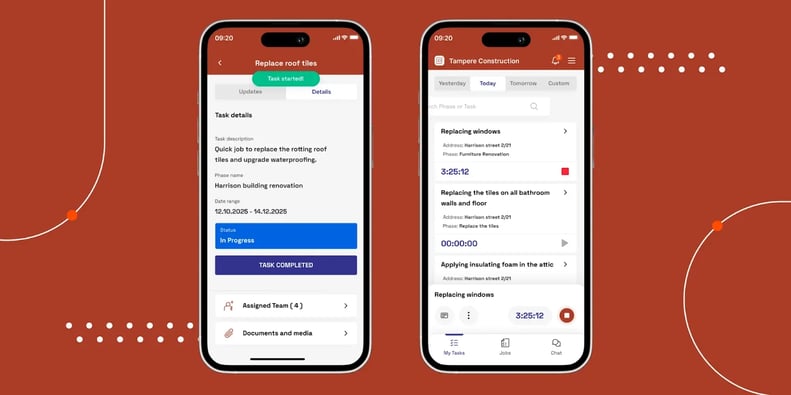
Role-based views keep everyone focused. As an admin, you see project status across all jobs in the calendar view. Your workers see only their assigned tasks for the day in a "My Tasks" mobile view.

How Buildbite Helps You Manage Construction Scheduling
The workflow is straightforward. You create projects, add phases within those projects, and then build out tasks with time estimates. From there, you schedule work using the visual calendar interface.
The scheduling system uses a visual interface that functions like Google Calendar for construction. Open the month or week view, and you'll see all your projects, phases, and tasks laid out in a grid. Unscheduled tasks sit in a side panel.
When you're ready to assign work, drag a task directly onto a calendar day, pick team members based on their skills and availability, and add instructions. Save it, and your assigned workers instantly receive notifications with all task details, start and end dates, and instructions on their phones.
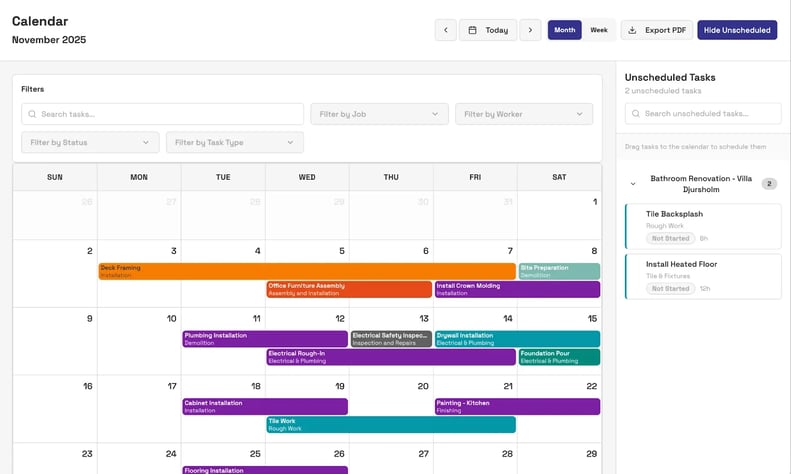
When you're ready to assign work, drag a task directly onto a calendar day, pick team members based on their skills and availability, and add instructions. You can experiment with different schedules—move tasks around, test crew assignments—before going live. Once you're satisfied with the layout, save it. Your assigned workers instantly receive notifications with all task details, start and end dates, and instructions on their phones.
Role-based views keep everyone focused. As an admin, you see project status across all jobs in the calendar view. Your workers see only their assigned tasks for the day in a "My Tasks" mobile view.
They update progress in real-time, upload photos and documentation, and track time directly from the job site. When they make changes, the calendar syncs instantly across desktop and mobile, so you always see current status.
That way, you get scheduling, time tracking, photo documentation, team communication, and client updates in one app. Here's how these features work together:
-
When your crews update job progress, you see changes across all projects immediately—no waiting for end-of-day reports or scrolling through text threads for status updates.
-
Your workers add comments and photos directly to specific tasks using the time-tracking widget, so you build a complete digital paper trail without extra steps.
-
Your built-in client portal pulls from that same stream of updates to keep homeowners and stakeholders in the loop without constant phone calls.
-
Change requests stay in one place. Every change your client asks for gets logged and approved, preventing expensive reworks from "I never approved that" disputes.
If you're ready to replace WhatsApp groups, Excel trackers, and paper documentation with one tool, Buildbite works as a comprehensive field management solution . Start your free Buildbite trial today and see how it works.
What Users Love
Construction teams consistently praise Buildbite's short learning curve. Non-technical crew members use it with a quick walkthrough, instead of sitting through formal training.
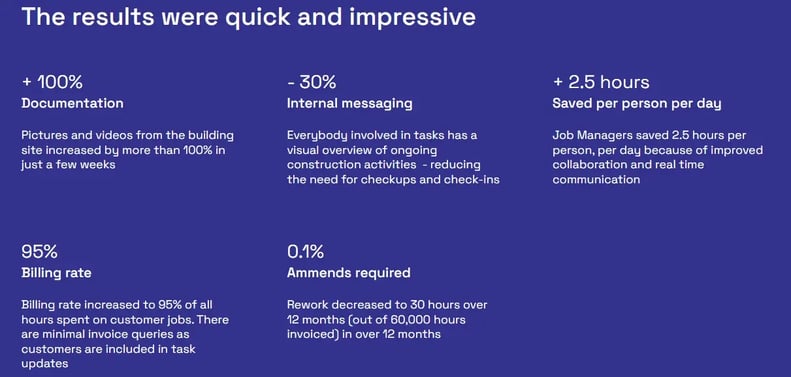
Buildbite also helps teams stop leaving money on the table. In the Trähus case study, CEO Thomas Noreila explains that before Buildbite, unclear customer expectations and weak documentation meant they could only bill half of the hours they worked.
Once the team started logging time and attaching photos to tasks with Buildbite, their billing rate jumped from roughly 50% to about 95% within a few weeks.
Teams highlight how work gets when every document, change request, and time stamp is in one app. Instead of bouncing between chats, spreadsheets, and email threads to piece a job together, they open Buildbite and see all project updates in one place.
"We chose to use Buildbite as the tool to help us improve customer relationships and retention, and we have never looked back"
— Thomas Noreila, CEO, Trähus
"We've gained better control and oversight, but the biggest win is the time we've saved—around 2.5 hours per person per day. Everything we need is in one place now instead of scattered across WhatsApp, email, and spreadsheets."
— Verified User Review
"Our billing rate went from around 50% to 95%. The difference is that now we document everything in real-time with photos and time tracking. Clients can't dispute charges when we show them timestamped photos and their own digital approval."
— Verified User Review
What Could Be Better
If you runenterprise-scale operations with 50+ crews coordinating complex dependencies across large commercial sites will outgrow Buildbite's scheduling approach. Advanced forecasting and what-if scenario planning aren't part of the feature set.
Buildbite deliberately prioritizes field execution and adoption ease over planning sophistication.
Pricing
You can start with Buildbite's free tier to test the workflow on real projects before committing. When you're ready to upgrade, paid plans scale by team size with all features included.
-
Up to 10 users: $179/month (all features)
-
Up to 25 users: $334/month (all features)
-
Up to 50 users: $559/month (all features)
Best For
Buildbite is best for companies and managers who split time between office and field, and want to replace scattered tools like WhatsApp, Excel, and Trello with simple task scheduling, real-time field updates, and client communication in one place.
Works best for teams of 20 to 200 crew members who prioritize ease of use rather than complex, desktop-heavy planning features.
Ready to give your crew a scheduling software they’d actually use? Start your free Buildbite trial today and see how it works.
Fieldwire
Best for: Foremen and supers who want plan markup with light scheduling in the field

Fieldwire built its reputation on blueprint management and task tracking rather than traditional scheduling. Owned by Hilti, the platform offers task management with multiple views and strong plan markup. Starting at $0/month for up to 5 users and 3 projects, Fieldwire appeals to teams wanting plan coordination alongside lightweight scheduling.
How Fieldwire Helps You Manage Construction Scheduling
Fieldwire handles scheduling through its task system instead of a standalone scheduling module. You’ll mostly work with three views: a Kanban board for day-to-day work, a Gantt chart visualising timelines, and a Calendar for date-based planning.
Each task can carry start and end dates, a P1–P3 priority, checklists, blueprint locations, and file attachments. You can set up recurring tasks, define working days, and pull in existing schedules via CSV from tools like Primavera P6, Microsoft Project, or Excel.
In the Gantt view, you can see up to 200 tasks at once, drag dates around, and use “Shift Dates” to move blocks of work forward or back a few days in one go. Manpower tracking adds estimated man-hours to each task and rolls them up into a simple line graph.
One important catch: Fieldwire’s “Related Tasks” don’t behave like true dependencies. If you push one task out, the connected tasks stay put, so you’ll still be manually updating downstream work.
On mobile, you can view dated tasks, create and assign work, update status, add comments and photos, and keep going offline with automatic sync when you’re back online. But you won’t get Gantt or calendar views, batch editing, drag-and-drop scheduling, Shift Dates, manpower graphs, or report building on your phone.
What Users Love
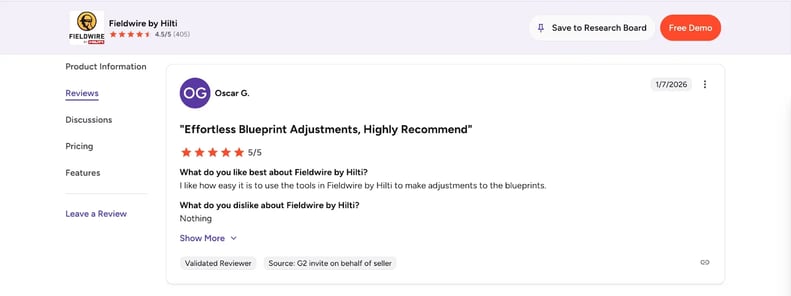
Reviewers on G2 and Capterra highlight Fieldwire's blueprint integration as its standout feature. Crews like being able to drop pins directly on the blueprint so there’s no confusion about where work actually needs to happen. Offline mode with automatic sync also gets a lot of love from teams working in basements, remote sites, or anywhere the signal cuts in and out.
Reviewers say the learning curve feels reasonable compared with heavier all-in-one construction platforms. The free tier gives smaller teams room to test real workflows before committing budget. Multiple users note that Fieldwire works well for punch lists and inspection tracking.
What Could Be Better
Fieldwire's "Related Tasks" feature links items together, but won't auto-cascade date changes. If you push one task out, connected tasks don’t update with it. You'll have to manually adjust downstream work every time delays occur.
On mobile, field crews can view and update tasks, but actual schedule management requires desktop access. You don’t get Gantt or calendar views, batch edits, or drag-and-drop scheduling from your phone.
There's also no CPM calculation, auto-scheduling, baseline tracking, resource leveling, or built-in weather integration. Larger projects may feel the 200-task limit in the Gantt display, especially if you want to see an entire project on one screen.
Pricing
Basic starts free for up to 5 users and 3 projects. Pro runs $39/user/month, Business $64/user/month, and Business Plus $89/user/month, all billed annually. Monthly rates run approximately 38% higher.
Best For
Fieldwire is best for field teams that prioritize blueprint integration over advanced scheduling. Ideal for punch list management, inspection workflows, and task tracking pinned to plan locations. Best suited for crews who can manage schedule adjustments from desktop while using mobile for task updates and photo documentation.
Looking for more Fieldwire alternatives? See our complete comparison guide.
Procore
Best for: Mid‑to‑enterprise GCs that need scheduling inside a full commercial construction platform

Procore is an enterprise construction management platform that integrates scheduling with project controls, financials, and field operations. Pricing is custom-based on your Annual Construction Volume, so you’ll need to talk to sales to get actual numbers.
It’s built for larger commercial contractors that want one platform tying together schedules, RFIs, submittals, and job-cost data across many projects.
How Procore Helps You Manage Construction Scheduling
Procore currently runs two scheduling systems side by side.
- The Legacy Schedule Tool is mostly a viewer for schedules you build in Primavera P6 or Microsoft Project. You export an .XER or .MPP file, upload it to Procore, and field teams view the schedule. However, editing is limited.
The only field-editable element is "Percent Complete" when administrators enable it; any other change means updating the external file and re-uploading.
- The newer Procore Scheduling tool is their native option, where you can build and edit the schedule directly within Procore. You get Gantt views with dependencies, critical path highlighted in red, baseline tracking, and 2-6 week lookahead views for short-term planning.
The system handles 10,000+ activities and includes crew assignment filtering with submittals integration.
Critical timing: Procore Scheduling reaches General Availability on February 17, 2026. Mobile-first field access remains a roadmap item and will not be available at launch. Teams evaluating Procore for mobile scheduling should factor this timeline into their decision.
For companies coordinating subcontractors across multiple projects, understanding which scheduling system you'll actually use and when mobile access will be available determines whether Procore fits current workflow needs.
What Users Love
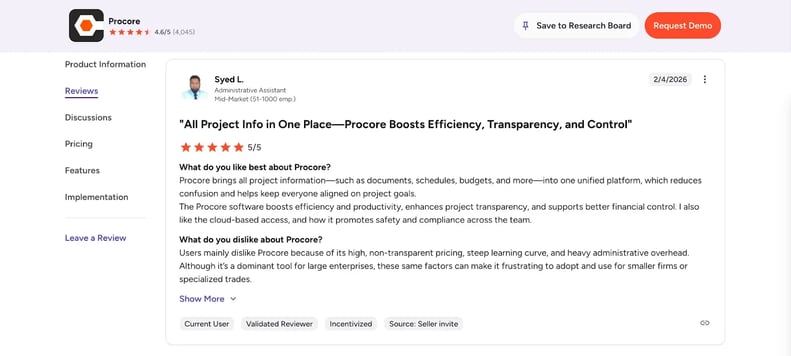
In G2 and Capterrareviews, users say Procore's platform integration. Everything connects: scheduling links to submittals, RFIs tie to drawings, and project controls feed into financial reporting. Large teams appreciate having one source of truth instead of juggling disconnected systems.
Reviewers also like the new scheduling tool’s lookahead views and critical path highlights, especially on big jobs with 10,000+ activities across many trades, and they give customer support credit for helping teams through complex implementations.
What Could Be Better
On the legacy side, you still have to build schedules in tools like P6 or Microsoft Project, then upload a new file every time something changes. That extra step becomes a drag if you want true native scheduling instead of treating Procore as a viewer.
Mobile scheduling is also extremely limited. The legacy tool allows only "Percent Complete" updates when admins enable it, and the new Procore Scheduling tool won't have mobile-first field access from day one.
There’s no built-in weather integration, permit and inspection scheduling are still on the roadmap, and resource leveling isn’t documented as available. If you need full mobile scheduling today, you’ll be waiting beyond the February 2026 GA release date for full field workflows.
Pricing
Procore prices by Annual Construction Volume, not per user, and every contract includes unlimited users. Agreements are annual and paid through Procore’s sales team, so you’ll need to request a quote tailored to your project portfolio at procore.com/pricing.
Best For
Procore suits large commercial projects requiring enterprise-wide platform integration, especially when your scheduling workflow already lives in Primavera P6 or Microsoft Project, and you want scheduling connected to RFIs, submittals, and financial controls.
Buildertrend
Best for: Residential builders who want client‑facing schedules tied to selections and change orders
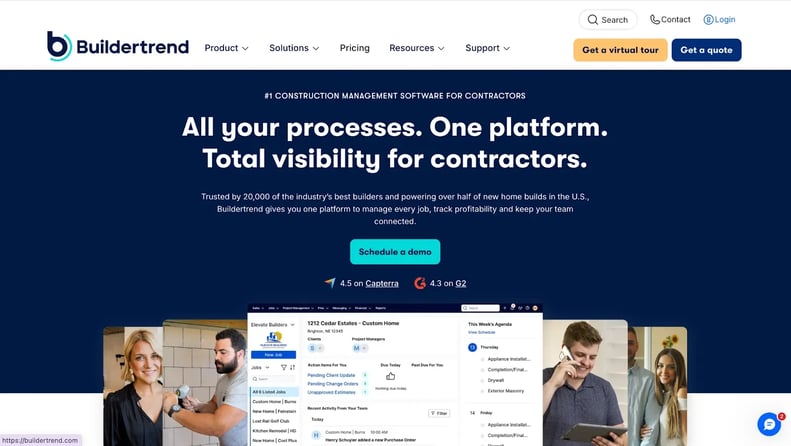
Buildertrend positions itself as an all-in-one residential construction platform, where the Client Portal differentiates it from competitors. Homeowners view schedules, approve selections and change orders, and make payments directly through the portal. Starting at $499/month with a first-month promotional rate of $199 according to third-party sources, Buildertrend targets residential builders who want client transparency built into their scheduling workflow.
How Buildertrend Helps You Manage Construction Scheduling
Buildertrend offers multiple schedule views, including Gantt with items and phases, Calendar, Agenda as the mobile default, List, and an All-Listed-Jobs view that layers schedules across multiple projects simultaneously.
Buildertrend gives you several ways to look at your schedule:
-
Gantt view (by items and phases)
-
Monthly calendar view
-
Agenda view as the mobile default
-
Simple list view
-
All-Listed-Jobs view that stacks multiple project schedules in one place.
Dependencies offer full predecessor support, so when you move one task, downstream work auto-cascades, with a critical path toggle to surface the longest chain of linked tasks and baselines to capture snapshots with recorded reasons for changes.
Other scheduling helpers include:
-
Schedule templates for repeatable jobs
-
Workday exceptions for holidays and weather days
-
Approved change orders flowing straight into the schedule
-
A free subcontractor portal with automatic task notifications
Buildertrend markets “full” scheduling on mobile, including adding and editing schedule items, seeing all views (Gantt included), managing related tasks, and working offline. However, reviews flag reliability issues: users report crashes and missing functionality, with some opting to use Buildertrend through a mobile browser instead of the native app.
What Users Love
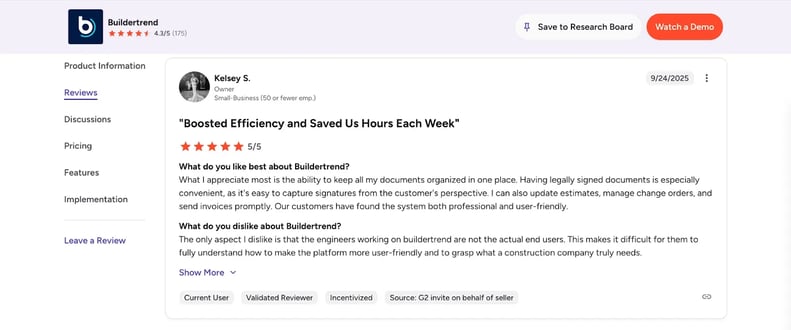
Across G2 and Capterra, users call the Client Portal Buildertrend's standout feature. Letting homeowners see a live timeline reduces “what’s happening this week?” calls and emails. Schedulers also like the auto-cascading dependencies, which save time compared with manually pushing every downstream task after a delay.
Teams running multiple jobs at once mention the All-Listed-Jobs view as especially useful for spotting overlaps. Templates streamline standard residential jobs, and automated notifications to subs help reduce chasing trades by phone.
What Could Be Better
Buildertrend lacks resource scheduling functionality across jobs. You can't see team or subcontractor availability when planning work on multiple projects simultaneously. This creates blind spots when the same crew works across several sites.
Several reviewers mention schedule glitches where dates suddenly push out by months or resist manual corrections. Given the mobile app's contested reliability, some teams don’t fully trust the schedule on phones and fall back to web access as a workaround.
Pricing
Buildertrend’s pricing page often redirects to demo scheduling rather than showing exact prices. Third-party sources report Essential at about $499/month, Advanced at $799/month, and Complete at $1,099/month, with first-month promos dropping them to roughly $199, $499, and $799, respectively.
All plans include unlimited users and projects on a flat-rate model, and annual billing provides a 10% discount.
Best For
Buildertrend is great for residential builders and remodelers who want client-facing schedule visibility as a core workflow feature. Ideal for custom home projects where homeowner communication drives satisfaction.
Considering Buildertrend? See how it stacks up against mobile-first alternatives in our Buildertrend alternatives comparison.
CoConstruct
Best for: Custom home builders and remodelers who plan around client selections and lead times
CoConstruct is built for custom home builders and remodelers who need schedules tightly tied to client selections. Although Buildertrend acquired the product in 2021, it still runs as a standalone platform.
According to G2 pricing data, subscriptions start at $99/month for the first two months, and $399/month subsequently. CoConstruct fits builders who coordinate homeowner decisions and lead times, not those who run field-first scheduling from a phone.
How CoConstruct Helps You Manage Construction Scheduling
CoConstruct splits scheduling into several views aimed at specific jobs to be done:
-
Field Update View for short, focused crew task lists
-
Gantt view with drag‑and‑drop timelines and dependencies
-
Calendar view for date‑based planning
-
Task View that breaks work into assignable items
-
Baseline View comparing the original plan to current reality
The dependency system uses full predecessor logic, so when you move one task, linked activities downstream shift automatically. Critical path highlighting shows the longest chain of connected tasks, and baseline tracking captures schedule snapshots with documented change reasons for later analysis.
A draft-versus-published workflow keeps planning and communication separate. One person edits the draft schedule at a time, and only when it’s published do clients and trade partners see the new dates, which helps avoid half-baked updates leaking into the field.
CoConstruct also offers:
-
Project templates to speed up repeatable jobs
-
Trade partner assignment with text/email confirmations
-
iCal sync to push tasks into external calendars
-
Selection‑schedule linking that ties client choices to install dates
-
Material timing alerts when decisions need to land to keep work moving
On mobile, crews can view schedules and update tasks, but creating Gantts, templates, or dependency structures still happens on desktop.
What Users Love
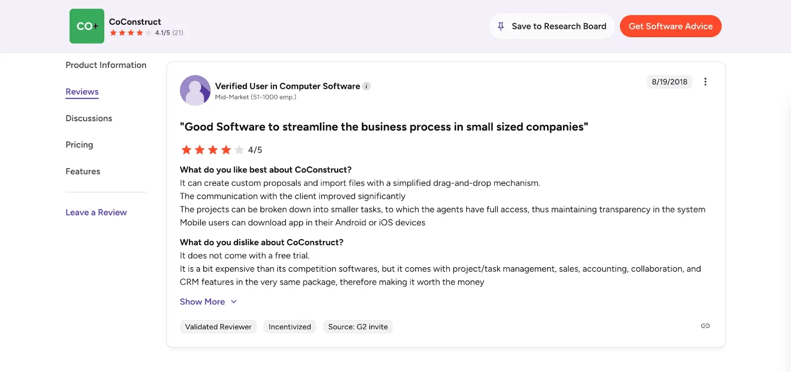
On G2, users point to the selection-schedule linking as CoConstruct's standout feature. When cabinet lead times change, affected install dates update automatically. The draft-versus-published workflow is another favorite, preventing clients from seeing half-finished schedule revisions.
Users like the confirmation workflow for trade partners, which reduces scheduling conflicts, as subs receive notifications and confirm availability. The baseline tracking with documented change reasons also helps explain timeline shifts to clients without finger-pointing.
What Could Be Better
The mobile app is a common sore spot. Recent App Store reviews describe it as “severely lacking” for field use, with crashes and instability pushing teams back to the web interface for anything beyond viewing basic updates.
Limited customization options frustrate builders who want tailored workflows, and many mention a steep learning curve, especially for crews new to construction management software. Once the introductory period ends, the monthly cost of $399 makes CoConstruct feel pricey for very small businesses.
Pricing
G2 pricing datalists CoConstruct PLUS tier at $399/month or $339/month with annual billing (after the introductory rate of $99/month). There’s no free trial, so you'll need to request a demo to evaluate the platform before committing to a subscription.
Best For
CoConstruct is ideal for custom home builders and remodelers who need selection-driven scheduling. Best used when coordinating homeowner decisions, lead times, and installation dates matters as much as day-to-day task assignment.
Microsoft Project
Best for: Dedicated schedulers who need contract‑grade CPM planning on Windows desktops
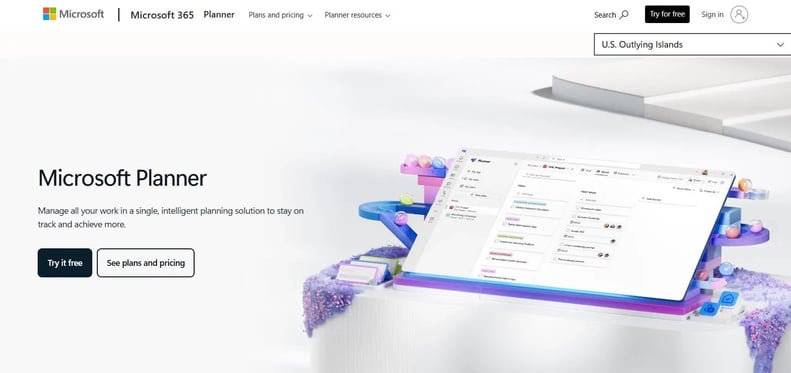
Microsoft Project delivers the most sophisticated critical path scheduling engine available, but it's built for dedicated planners, not field teams. Microsoft consolidated PM tools under the "Planner" brand, with "Project for the Web" retired in August 2025.
Starting at $30/user/month for Plan 3 (billed annually), Microsoft Project fits organizations with dedicated scheduling staff who can manage desktop complexity and don't need mobile field access.
How Microsoft Project Helps You Manage Construction Scheduling
Microsoft Project is a Windows desktop application offering rich Gantt charts, network diagrams, and full critical path method calculations, with auto-scheduling to recalculate dates whenever tasks shift.
For schedule logic and control, it supports:
-
Dependencies with lead and lag times for fine‑grained sequencing
-
Resource leveling to smooth over‑allocations across people and equipment
-
Baseline tracking with variance analysis against the original plan
-
Constraint types that dictate how tasks behave when dates shift
On the cost and structure side, Microsoft Project adds earned value metrics that bring cost and schedule performance into a single view, plus work breakdown structures to organize large, multi‑phase projects into manageable chunks
However, there are clear limits to access and mobility. There is no dedicated Microsoft Project mobile app, the desktop client is Windows‑only with no native Mac support, and field teams typically interact with simplified task lists via Planner, Teams, or SharePoint rather than editing schedules directly.
What Users Love
Reviewers on G2 consistently praise Microsoft Project's CPM engine as the industry benchmark. Schedulers managing tight crews and equipment pools lean on the auto-leveling and variance tools to spot trouble early.
Power users also value the depth of scheduling logic — lead and lag, constraints, earned value — and the way it fits into an existing Microsoft 365 stack.
What Could Be Better
Microsoft Project doesn’t include construction-specific templates. There are no built-in templates for daily logs, RFIs, submittals, trade sequencing, or lookahead meetings, so teams either buy add-ons or build their own setups. There’s no plan markup, no 2–3 week lookahead view, and essentially no mobile path for field teams beyond workarounds. The same complexity that makes it powerful also creates a steep learning curve for contractors without a dedicated planning role.
Pricing
Pricing typically starts at $30/user/month for Plan 3 (billed annually), with total cost depending on licensing mix and broader Microsoft deals.
Best For
Microsoft Project makes the most sense when you have one or more dedicated schedulers on Windows desktops who use Gantt charts daily and need deep CPM analysis and resource leveling, while field execution is handled by separate tools.
Contractor Foreman
Best for: Budget‑conscious contractors who want all‑in‑one management with CPM Gantt at flat pricing

Contractor Foreman pitches itself as an all-in-one construction management platform with over 50 modules under a single subscription. Pricing starts around $49/month for 3 users on the Basic tier, with no per-project fees, making it attractive to budget-conscious teams that want permits, inspections, daily logs, and scheduling in one place without per-seat creep.
How Contractor Foreman Helps You Manage Construction Scheduling
Scheduling runs through Gantt charts with built-in CPM, dependencies, and visual critical path highlighting. You can set baselines to lock in the original plan, then compare against the live schedule as dates shift. Drag-and-drop crew scheduling and .mpp import make it easier to assign teams and pull in formal Microsoft Project schedules when needed.
Percent-complete tracking shows progress at the task level, while non-working day settings allow users handle holidays and weather delays manually. Calendar sync with Google Calendar and Outlook 365 for external visibility, while Permit Manager and Inspections tie administrative milestones directly to schedule timelines, so you see permit and inspection dates alongside work activities.
Desktop handles full scheduling management, including Gantt building, dependency setup, and timeline adjustments. On mobile, teams can view schedules, update completion percentages, log time and daily reports, add photos, and receive notifications.
However, the app does not mirror every desktop feature, and editing a Gantt remains primarily a desktop job. Reviews note some lag when adding shifts or populating crew lists on mobile and describe offline support as limited rather than a full offline mode.
What Users Love
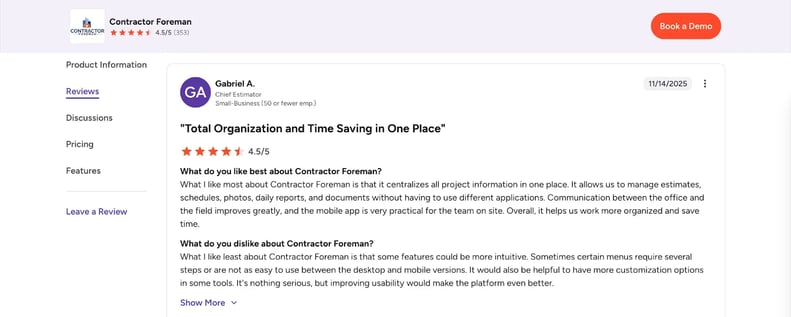
G2 and Capterrahighlight the value for money. Flat-rate, company-level pricing with access to 50+ modules gives smaller contractors CPM scheduling, daily logs, job costing, and more at a fraction of enterprise tools.
Reviewers praise the combination of CPM Gantt scheduling, MS Project import, and the broad feature set as “more punch” than they expected at this price point.
Integrated permit and inspection tracking also gets positive mentions, since tying those dates to the schedule reduces surprise delays. The 30-day free trial, 100-day money-back guarantee on higher tiers, and price-lock promise lower the risk of trying it as a first serious platform after spreadsheets.
What Could Be Better
Several reviewers say scheduling becomes less intuitive as projects grow more complex, and some report “hitting the limit” of what they can comfortably do for organizing larger jobs. Mobile performance can lag, especially when working with crew assignments, and limited offline capability means you still depend heavily on connectivity in the field.
Weather delays require manual entry via non-working days or daily logs since there’s no automated weather-driven rescheduling. Then there’s the lack of clear documentation on full mobile Gantt editing, which leaves uncertainty about how much schedule manipulation you can realistically do from a phone.
Pricing
Contractor Foreman uses flat-rate company pricing within user limits. Basic tier starts at $49/month for 3 users, scaling up to Unlimited at $249/month according to the company website. A 30-day free trial is available on all plans, and Plus, Pro, and Unlimited include a 100-day money-back guarantee plus a price-lock so your rate doesn’t increase over time.
Best For
Contractor Foreman is best suited to budget-conscious small and mid-sized contractors who want solid CPM Gantt scheduling plus permits, daily logs, and crew management. Ideal if you’re comfortable handling most planning work on a desktop rather than mobile.
Jobber
Best for: Home‑service teams scheduling short, appointment‑style jobs rather than multi‑phase projects
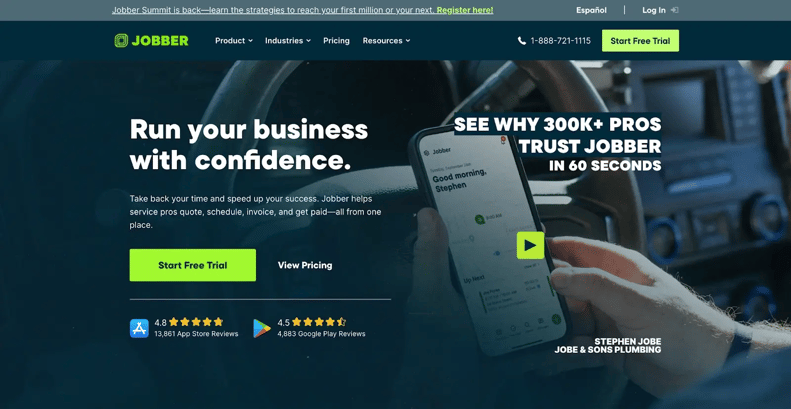
Jobber serves field service businesses running appointment-style work rather than multi-phase construction projects. Starting at $39/month ($29 with annual billing), according to Jobber's official pricing page, the platform handles calendar-based scheduling for service calls, maintenance visits, and recurring appointments. It works best when your main scheduling job is lining up service calls, maintenance visits, and recurring appointments on a calendar.
How Jobber Helps You Manage Construction Scheduling
Jobber handles scheduling through a calendar-only interface. There's no Gantt chart, timeline visualization, or dependency mapping. You book jobs into time slots, assign team members, and drag appointments around when things change. Month, week, day, list, and map views help dispatchers see who is going where and when.
The approach works for appointment-based businesses. HVAC technicians need to know they're at 123 Main Street from 9am to 11am, then 456 Oak Avenue at 1pm, and Jobber handles that cleanly. You can drag appointments to reschedule, view daily and weekly calendars, and see which technicians are available when.
Mobile scheduling works fully from phones. Dispatchers assign jobs, technicians view their routes, and everyone sees real-time updates. However, the mobile app does not work offline. You need connectivity to access schedules and update job status.
What’s missing is exactly what construction teams usually need: no task dependencies or CPM, no phase structure for multi-week projects, no subcontractor scheduling, no material timing, and no change order workflows tied to a schedule. Each job stands alone instead of sitting inside a broader project sequence.
What Users Love
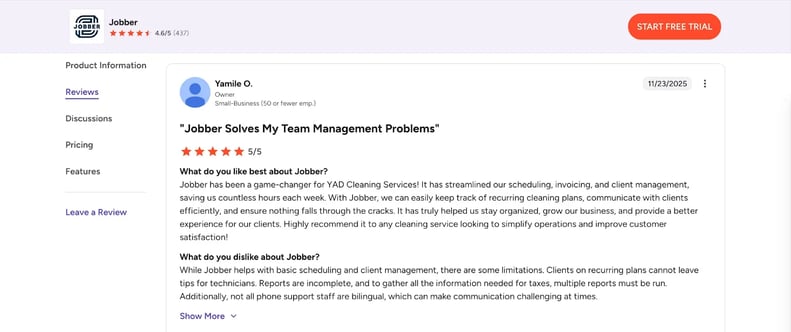
How to Choose the Right Scheduling Software for Construction Projects
The right choice depends on your day-to-day work needs, not which software has the longest feature list. If you’re a hands-on manager bouncing between job sites and the truck, you need scheduling that works on your phone and doesn’t fall apart without a desktop. If you’re a dedicated project manager in the office, you can opt for desktop planning tools with heavier CPM engines.
Use these questions as a litmus test.
-
Do you spend more time optimizing timelines or making sure crews execute correctly?
-
Would your field teams actually use complex scheduling sequences or find them overwhelming?
-
Is your core problem planning (dependencies and conflicts) or execution (communication, documentation, and visibility)?
Also, consider where you spend most of your day:
- If you're mostly in the field or splitting time 50/50, your scheduling problem is execution, not planning. The real headache is making sure work gets done, documented, and communicated, with quick task assignments tied to dates.
You might plan Monday morning at your desk, then update progress from job sites the rest of the week; and your crews need to see daily tasks rather than six‑month Gantt charts. Consider Buildbite, Fieldwire, or similar field-friendly options that prioritize mobile access and straightforward updates.
- If you're mostly at a desk coordinating multiple crews, your main challenge is optimization. That usually means three or more active projects across multiple trades and constant dependency watching. Visualizing critical paths and reallocating resources when delays hit matters more than mobile tweaks.
Consider Procore, Buildertrend, CoConstruct, Microsoft Project, or similar desktop-focused options with dependency management and baseline tracking.
Lastly, consider your integration needs:
Your tech stack affects scheduling success as much as the scheduling features themselves. Before committing to any platform, map out the connections you'll need.
Accounting integration matters most for teams tracking job costs. QuickBooks and Xero connections prevent double-entry between scheduling and bookkeeping. Some platforms even sync time tracked against tasks directly to accounting, while others require manual exports.
Connecting your estimating and scheduling tools lets you turn an approved estimate into a project schedule automatically, instead of rebuilding the plan from scratch after you win the job. At the very least, confirm your estimating software exports in formats your scheduling tool can import.
Beyond core integrations, look at your full workflow. Do you need change orders flowing from client approval to schedule adjustments automatically? Does your team rely on specific communication tools that should sync with task updates?
If you need comprehensive project tracking beyond scheduling, see our guide on construction project tracking software.
Final Recommendations & Top Picks by Use Case
Your scheduling concerns should drive your software choice more than any feature comparison table.
- If you're an owner-operator managing 2-4 residential projects: Start with Buildbite. You need straightforward task assignment, real-time crew updates, and automatic client communication rather than Gantt complexity.
Test on one project for two weeks. If your crew naturally updates without prompting, you've found your tool. For teams replacing scattered WhatsApp threads and Excel sheets, construction project management software built for small businessescuts the coordination hassles without forcing you into a desktop-heavy workflow.
-
If you're a PM for a commercial GC with 20+ person crews: You need desktop planning power. Procore or Microsoft Project are better fits when you’re coordinating multiple trades across large sites and need to see dependencies clearly. The learning curve is steeper, but critical path analysis and resource leveling pay off at this scale.
-
If you're a residential builder managing 5-10 active homes: Consider Buildertrend or CoConstruct. They combine scheduling with residential‑specific features such as client selection tracking and change order workflows. Their client portals keep homeowners informed without daily status calls.
-
If you're a small business owner splitting time 50/50 between field and office: This is the trickiest position. Start by testing a field‑friendly tool with a low learning curve so your crew actually uses it. If, after a few months, you run into real limits around dependency planning, then explore desktop planning tools. Don’t assume you need heavy desktop software just because it looks professional. Crew adoption matters more than feature lists, and a tool your team ignores is worthless, no matter how strong its CPM engine is.
Conclusion
Teams that spend their days tuning multi‑trade timelines and juggling resources on large commercial jobs get more from desktop planning tools. Microsoft Project, Procore, and similar platforms provide the CPM analysis and dependency control that those projects need.
If you're ensuring work gets done, documented, and communicated in real-time, choose field-friendly execution tools. Most hands‑on managers and owner‑operators fall into this camp: they need clear tasks, photos, and updates from sites more than another complex planning view.
That's where Buildbite fits. It offers straightforward scheduling that works on desktop and mobile, with real‑time updates and client communication tied directly to the work, not buried in chats. There are no Gantt charts to master and no requirement to sit at a laptop just to keep projects moving.
See how Buildbite's mobile-first scheduling works for hands-on managers who split time between office and field.
Still choosing? Join 500+ construction teams managing schedules with Buildbite, simple enough for daily field use, accessible from desktop or mobile.
Managing subcontractors across multiple projects? See our subcontractor management software guide .
Need comprehensive tracking beyond scheduling? Check out construction project management software for small businesses.