
AI Construction Tools: 6 Picks That Cut Admin Work for Contractors (2026)
AI construction tools cover four different jobs. Knowing which one you need is most of the decision:

Most contractors looking at AI construction tools have the same problem: hours that never make it onto an invoice. Time logged from memory at the end of the week, photos scattered across phones, change orders agreed on site and never billed.
If you've already tried something that promises to be an “AI construction tool”, you've probably found it was either marketing or a chatbot stapled onto software you already owned. The question worth asking is whether it takes work off your plate or just adds another system to keep updated.
All six tools below are judged on that basis. Each one is matched to a specific job, with real pricing, a clear note on who it isn't for, and an honest assessment of whether your crew and subs will actually open it.
What are AI construction tools (and what do they actually do)?
AI construction tools handle repetitive work: reading plans, measuring takeoffs, capturing what happens in the field, drafting documents, and flagging risk before it reaches your margin. The useful ones remove work you already do by hand. The rest give you one more system to maintain.
AI construction tools cover four different jobs. Knowing which one you need is most of the decision:
- General assistants like ChatGPT and Claude. Useful for writing and summarizing, whether that's rewriting a tense RFI, drafting a client email, or talking through scope. They can't see your job data, so they won't track an hour or produce an invoice.
- Document intelligence like Trunk Tools and Procore Assist. Read large spec, plan, and submittal sets and answer questions about them with the source attached, so you stop losing hours digging through documents for one detail.
- Field capture and workflow like Buildbite . Turns site activity (hours, photos, change orders, approvals) into a record you can track and bill. This is where forgotten time and disputed invoices usually come from.
- Takeoff and estimating like Togal.AI. Reads plans and measures spaces, walls, and openings automatically, replacing the days an estimator would otherwise spend measuring drawings by hand.
Some tools cover one job well, while others cover several. This guide will help you match the right tool to the problem you need to solve.
Why most contractors still lose hours using the wrong AI construction tools
Before the tool list, it's worth naming what most contractors have already tried to manage field admin, and where each option runs out of road:
ChatGPT / Claude: Lacks construction-specific context and real-time project awareness; can’t track approvals
WhatsApp + Excel + calls: Once a job goes live, updates get missed, photos get buried, and verbal approvals vanish in a dispute
General PM tools (Monday, Smartsheet, Trello): Office-first by design; the crew won't run a spreadsheet from a ladder
A big platform like Procore: Data-entry load and quote-only pricing are more than a lean crew can absorb
TL;DR: Six AI construction tools at a glance
Here's the shortlist of the AI construction tools we’ll cover in this guide:
| Tool | Best for | Standout AI feature | Pricing |
|---|---|---|---|
| Buildbite | Small/mid field crews, site-to-invoice | AI real-time translation + automated budget/time alerts | Free 14-day trial; all features included, priced by team size (from $12/user/month for 10 users) |
| Procore | Large/enterprise GCs | Helix layer: Assist, Agent Builder, photo intelligence | Quote only |
| Buildertrend | Residential builders & remodelers | AI Client Updates, AI bill scanning | Quote only |
| CompanyCam | Photo documentation | Voice-to-report AI, AI daily logs/recaps | ~$29–$49/user/mo (3-user minimum) |
| Togal.AI | Estimating & takeoff | AI plan reading + Togal.CHAT | From ~$299/user/mo |
| Trunk Tools | Spec/doc Q&A, large doc sets | TrunkText doc Q&A + TrunkSubmittal | Quote only |
1. Buildbite: Best for turning site work into billable records, automatically
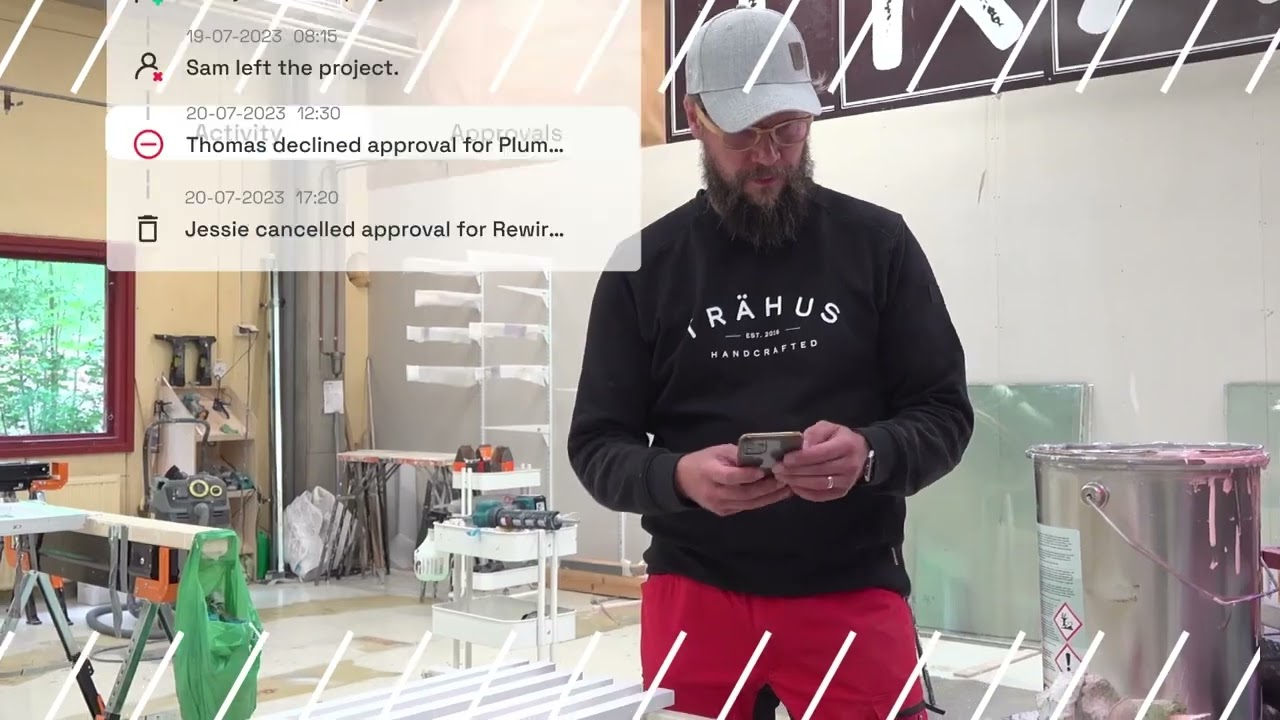
Most construction software is built for someone at a desk who keeps the system updated. Buildbite is built around what happens on site, which is why the AI runs in the background rather than waiting to be prompted. Messages get translated in real time for multilingual crews, budget and time alerts fire automatically, and a client chat request converts straight into a billable task without anyone logging it manually.
Rather than generating outputs you need to verify, Buildbite records what already happened: GPS-stamped time, timestamped photos, logged approvals. The record is a fact, not something the AI produced.
The founders ran one of Finland’s most profitable renovation firms before building the product, and that shapes how it works. The task sits at the center of everything, with every hour, photo, and approval tied to the work it bills for. Pricing is free to start, every feature included on every plan, and a per-user rate based on team size, plus a small base fee.
Capture time and work on site without anyone filling in a timesheet


Hours logged from memory on a Friday, or never logged at all, are hours you don't get paid for. Buildbite puts time tracking inside each task: a worker taps a green play button to start, taps it again to stop, and every clock-in is GPS-verified. The app works offline and syncs once a signal returns, so dead zones on a site don't break the record.
Each entry is tied to a task, worker, and job, so the data feeds straight into job costing and payroll-ready exports with no timesheet to reconstruct at the end of the week. Teams save hours per day once field updates, documentation, and reporting are handled in one app.
Turn that site activity into an invoice you can defend


Proof of work is usually scattered across phones and chat threads, which is how jobs end up undercharged or disputed. Buildbite keeps the proof attached to the bill by auto-tagging every photo with a timestamp, GPS location, and worker ID, and routing time logs, completed tasks, and approved change orders into invoice-ready data. You can export that to QuickBooks or Xero, or send the invoice from inside the app.
Because clients have already followed the work in their free portal, the invoice arrives with the evidence in front of them. Trähus, the founders' own renovation firm, raised its billing rate from roughly 50% to 95% of hoursworked after the switch.
Not sure how many hours you're losing to admin right now? Run the numbers with our ROI calculator→
Catch overruns and scope changes before they cost you

Budget overruns and missed change orders are usually caught too late, after the margin is already gone. Buildbite sends a push notification when a task hits 80% of its estimated hours, while there's still time to move crews or call the client. Change requests go out with photos and pricing in under 90 seconds, routed from worker to manager to client with a timestamped approval at each step, and when a client asks for something in the chat, that message becomes a billable task.
Buildbite reports roughly a 30% lift in change-order revenue, not because more changes happen, but because the ones that used to go unbilled now get captured. One roofing crew saw about 90% fewer payment disputes once every change came with an approval trail.
Keep crew, subs, and clients aligned without chasing updates
Most of the “any update?" back-and-forth that eats up a day happens because crew, subs, and clients are working from different information. That coordination drag is exactly what showed up in Keradur Service. After replacing phone-based instructions with structured workflows, Keradur reported a 25% reduction in internal messaging and phone calls, while supervisors saved about 1.5 hours per day.
Buildbite routes everything through one place, split into internal and client-facing channels so pricing stays private. Real-time translation handles the language gap automatically, so a Finnish manager reads a Spanish crew member's update without anyone stopping to translate. And because clients can check progress in the free portal, the calls slow down.
Will your crew and subs use it?
The objection that kills most platform rollouts: “I don't need an extra tool" or “My subs will never log into this." Buildbite is designed around that friction. Setup takes under 60 seconds with every feature already unlocked, so there's nothing to configure later. Clients and subcontractors are free, with SMS invites that bring subs in without a license to buy. And because the app is one-tap, mobile-first, and works offline, it runs from a phone on a ladder as easily as it does from a desk.
Why you can trust what it captures
Contractors don't take AI outputs on trust when money is involved, and that instinct is right for tools that generate things like takeoffs, calculations, or drafts. Buildbite works differently: it records real field data. GPS-stamped time, timestamped photos, and logged approvals are a fact, not something the AI produced.
Pros
- Free to start, with all features in every plan and no gating
- Built for the field: one-tap GPS time tracking, offline-first, mobile-native
- Closes the loop from site work to invoice in one place
- Free client and subcontractor access, where competitors usually charge or lock subs out
- Captures ground truth, so there's little to double-check
Cons (who this might not be for)
- Not full cradle-to-grave yet. Materials, inventory, and compliance or certification forms are current gaps.
- No heavy spec or plan Q&A, so document-heavy commercial teams will want a tool like Trunk Tools alongside it.
Pricing
Buildbite is free to start for 14 days, with no credit card required. Pricing is all‑inclusive and based on team size: you pay per active user plus a flat $59 base fee. You get all features, with unlimited jobs, clients, time tracking, and 10GB storage on every plan.
| Plan | Price (per user / month) | Base fee / month | Max users | Included features |
|---|---|---|---|---|
| Basic | $12 | $59 | 10 | All features, unlimited projects/workspaces, unlimited clients, unlimited time-tracking, 10GB storage |
| Standard | $11 | $59 | 25 | All features, unlimited projects/workspaces, unlimited clients, unlimited time-tracking, 10GB storage |
| Premium | $10 | $59 | 50 | All features, unlimited projects/workspaces, unlimited clients, unlimited time-tracking, 10GB storage |
Try Buildbite free for 14 days - no credit card or setup fees. Every feature included from day one.
2. Procore: Best for large and enterprise GCs that want the deepest AI layer
Procore is the most mature AI platform in this category, built for large, multi-stakeholder projects with IT support behind them. For lean crews, the data-entry load and onboarding costs usually make it the wrong fit.
Procore's AI lives in an intelligence layer called Helix, built into the platform rather than added on top. Procore Assist answers questions across specs, RFIs, submittals, and building codes in seconds, and its photo intelligence reads jobsite images to summarize progress and flag safety issues. Agent Builder lets you create custom, no-code AI agents for repetitive work like drafting RFIs and managing submittals, with pre-built versions for the most common cases.
On a large project, that depth pays off. The catch is that Procore's AI is only as good as the data someone keeps entering, which is a job in itself. Add quote-only pricing and heavy onboarding and you have the reason lean crews tend to drift away.
Key features
- Helix intelligence layer powering AI across the platform
- Procore Assist: natural-language search across specs, RFIs, submittals, and codes
- Photo intelligence for progress summaries and safety insights
- Agent Builder plus pre-built RFI, daily log, and submittal agents
- Full financials, scheduling, and portfolio-level controls
Pros
- The most capable AI in the category
- Built for complex, multi-trade enterprise projects
- AI is native to the platform, so insights draw on all your project data
Cons
- Value depends on keeping the system continuously fed, which is admin in itself
- Quote-only pricing with heavy onboarding
- Overkill for small and mid-sized crews
Buildbite vs Procore
| Buildbite | Procore | |
|---|---|---|
| Best fit | Small/mid field crews | Large/enterprise GCs |
| AI style | Ambient (capture, translate, alert) | Deep, promptable copilot + agents |
| Setup | Under 60 seconds, self-serve | Heavy onboarding, IT support |
| Pricing | Published per‑user pricing ($10–$12/user/month) plus a flat base fee | Quote only |
| Admin load | Low (captures automatically) | High (needs constant data entry) |
Pricing
Procore does not publish pricing. Independent estimates suggest most contractors pay five‑figure annual fees, typically anywhere from $10,000 to $60,000+ per year depending on company size and the modules they license.
3. Buildertrend: Best for residential builders and remodelers

Buildertrend is an all-in-one residential platform with some of the most directly admin-killing AI on this list. If you run a high volume of residential projects with an office team, it's a strong fit.
Buildertrend's AI is built into the daily workflow rather than added as a separate module. AI Client Updates drafts homeowner communications automatically, turning what used to take an hour into a few minutes. Smart Bill Capture reads and codes incoming invoices so accounts payable stops being manual entry, and AI Bill Pay carries that through to payment.
Contractors use the AI weekly summary as a Monday kickoff: it looks a week back and two weeks ahead, flags subs spread thin across projects, and checks the schedule against the weather, then sends the same recap out to clients. The rest of the residential stack sits around those AI features, with scheduling, budgeting, a client portal, and QuickBooks or Xero integration.
The cost and admin load suit a larger operation. Buildertrend is built for builders running high project volumes with office staff, not a five-person crew.
Key features
- AI Client Updates for automatic homeowner communications
- Smart Bill Capture and AI Bill Pay for accounts payable
- AI weekly summaries with lookback, lookahead, and weather checks
- Scheduling, budgeting, selections, and change orders
- Branded client portal and accounting integrations
Pros
- Strong, recent AI aimed squarely at residential admin
- True all-in-one for residential builders and remodelers
- Mature client portal and financial tooling
Cons
- Pricing runs high and is admin-heavy to operate
- Built for office teams, not lean field crews
- The client portal allows only one client login per project
Buildbite vs Buildertrend
| Buildbite | Buildertrend | |
|---|---|---|
| Best fit | Small/mid field crews | Residential builders, high volume |
| Where work happens | On site, mobile-first | Office-led, field-connected |
| Pricing | $10–$12/user/month plus a flat base fee | Quote-based |
| Setup | Under 60 seconds | Onboarding-heavy |
| Client access | Free, unlimited clients | One client login per project |
Pricing
Buildertrend does not publish exact plan prices on its website. Recent third‑party reviews suggest plans typically fall somewhere between the mid‑hundreds and just over a thousand dollars per month. You have to request a quote from Buildertrend to get precise pricing for your business.
If you’re evaluating residential tools specifically, here’s a guide to Buildertrend alternatives .
4. CompanyCam: Best for AI-powered photo documentation

CompanyCam is best at one thing: photo documentation. If that's where you're losing ground, particularly on roofing or restoration jobs that turn into disputes, it's the strongest option in this category. The limit is that it covers documentation only, with no billing attached.
Every photo is auto-tagged with GPS and a timestamp and filed by project, so you're never scrolling a camera roll for a flashing detail from three weeks ago. The 2026 AI layer adds Walkthrough Note AI, which lets a worker talk through a jobsite out loud while the AI turns the audio into a shareable document. AI Summary writes project overviews, Daily Log handles end-of-day reporting, and Progress Recap pulls photos into milestone PDFs.
CompanyCam is inexpensive, widely adopted, and a favorite among roofing and restoration crews who need solid evidence when a job is disputed. Because the scope is photo documentation only, with no time tracking, scheduling, change orders, or invoicing, the proof gets captured here and billing closes elsewhere through integrations. Reviewers note the AI is useful but inconsistent, so treat it as a time-saver when it works, not your only record.
Key features
- Auto GPS and timestamp tagging on every photo, organized by project
- Walkthrough Note AI (voice-to-report)
- AI Summary, Daily Log, and Progress Recap
- Unlimited photo and video storage on all plans
- Deep integrations with roofing and restoration CRMs
Pros
- Best-in-class photo documentation for the field
- Strong, expanding AI for reports and recaps
- Affordable and widely adopted
Cons
- Photo documentation only, with no time tracking, scheduling, or invoicing
- 3-user minimum penalizes solo operators and 2-person crews
- AI reporting is still inconsistent in places
Buildbite vs CompanyCam
| Buildbite | CompanyCam | |
|---|---|---|
| Scope | Site-to-invoice workflow | Photo documentation only |
| Closes the billing loop | Yes | No (integrates out) |
| Time tracking | Yes, GPS-verified | No |
| Pricing | $10–$12/user/month plus a flat base fee | ~$29–$49/user/mo (3-user minimum) |
| Best problem it fixes | Unbilled work | Weak photo documentation |
Pricing
The Pro plan starts at $79/month for 3 users on annual billing, with additional users at $29 per user per month (more on monthly). Premium and Elite start around $129–$199/month for 3 users, with the same per‑user add‑on pricing. In practice, most teams pay somewhere in the $24–$49+ per‑user‑per‑month range, with a 3‑user minimum.
5. Togal.AI: Best for AI estimating and takeoff

Togal.AI focuses on preconstruction, which means it's useful at a specific point in the process: getting a bid out fast. Once the job starts, you'll need something else.
Togal's AI reads plan sets and measures spaces, walls, and openings in seconds, work that used to take an estimator hours or days by hand. Togal.CHAT answers plain-language questions about a plan set, and the revision comparison feature flags exactly what changed between drawing versions so you can scope a change order quickly. Estimators report finishing small jobs in well under an hour where it once cost them most of a day.
That speed has a caveat: AI takeoff is still hit or miss, so verify the outputs, especially anything that drives a price. Togal.AI is also priced for dedicated estimators, which makes it a meaningful budget line for one part of the pre-bid process.
Key features
- AI plan reading that auto-measures spaces, walls, and openings
- Togal.CHAT for natural-language questions about plans
- Side-by-side revision comparison for change orders
- Integrations with Procore, PlanSwift, and Bluebeam
Pros
- Major time-saver at the bid stage for estimators
- Conversational plan Q&A through Togal.CHAT
- Fast revision comparison for scoping changes
Cons
- AI takeoff still needs verifying, especially on anything that affects price
- Priced per estimator, so it adds up for a team
- Nothing for the build phase once the job is won
Buildbite vs Togal.AI
| Buildbite | Togal.AI | |
|---|---|---|
| Phase | During the build | Preconstruction / bidding |
| What it does | Captures and bills field work | Measures and prices plans |
| Trust model | Captured facts | Generated outputs (verify) |
| Pricing | $10–$12/user/month plus a flat base fee | From ~$299/user/mo |
Pricing
Togal.AI’s Growth plan is listed at $299 per user per month, billed annually (about $3,588 per year per estimator). Enterprise deployments are quote‑only.
6. Trunk Tools: Best for AI spec and document Q&A on document-heavy commercial work

Trunk Tools is purpose-built for large commercial jobs with heavy document loads. For small or residential crews, it's overkill and quote-only.
TrunkText answers questions across plans, specs, RFIs, submittals, and contracts in under 30 seconds and links you to the exact source document and section it drew from. TrunkSubmittal reviews subcontractor submittals against specs and related RFIs automatically, catching conflicts before they become revise-and-resubmit cycles or rework on site. TrunkReview scans each newly issued drawing set and writes up what changed.
Trunk Tools is construction-specific AI trained on real project documents, with native integrations into Procore, Autodesk Construction Cloud, and SharePoint. Customers include enterprise GCs like Suffolk and Cleveland Construction, on projects carrying tens of thousands of documents. Field execution and billing are outside the scope, and the pricing reflects it.
Key features
- TrunkText: natural-language Q&A across all project documents, with source citations
- TrunkSubmittal: automated submittal-versus-spec conflict review
- TrunkReview: drawing-set change narratives
- Pre-built agents for repetitive document work
- Integrations with Procore, Autodesk, SharePoint, and Egnyte
Pros
- Serious document intelligence built specifically for construction
- Answers cite the exact source document and section
- Automates submittal review and RFI work that eats senior PM time
Cons
- Built for large commercial projects, so it's overkill for SMBs
- Quote-only pricing
- A knowledge layer only, with no field capture or billing
Buildbite vs Trunk Tools
| Buildbite | Trunk Tools | |
|---|---|---|
| Core job | Capture and bill field work | Answer questions across documents |
| Best fit | Small/mid crews | Document-heavy commercial GCs |
| Field execution & billing | Yes | No |
| Pricing | Published per‑user pricing ($10–$12/user/month) plus a flat base fee | Quote only |
Pricing
Trunk Tools doesn’t publish pricing. It’s sold on custom annual contracts. Independent listings suggest deployments can run to tens of thousands of dollars per year, but you’ll need a quote from sales for actual numbers.
Not running an enterprise operation? Buildbite is built for crews that need site work captured and billed.
How to choose the right AI construction tool for your business
- Start with whether it removes work or adds it. If the tool needs someone to keep logging data, updating statuses, or filling in fields before it does anything useful, that’s extra admin.
- Name the one problem costing you the most. Unbilled hours, lost change orders, budget overruns, weak documentation, or time lost digging through specs. The tool that fixes that problem beats the one with the most features.
- Separate what a tool captures from what it generates. Captured facts like time, photos, and approvals you can trust. Generated outputs like takeoffs, calculations, and drafts you'll need to verify, and that verifying eats into the time you saved. Know which kind you're buying.
- Be honest about whether your crew and subs will use it. The best tool in the world is worthless if nobody opens it. Look for mobile-first, one-tap, and offline, with free or low-friction access for subs and clients, or you'll drift back to texting them on multiple tools.
- Match it to your size and where the work happens. A 5-to-50-person crew working on site wants something field-first like Buildbite. A residential builder running high volume with an office team fits Buildertrend. An enterprise with IT behind it can run Procore. Document-heavy commercial work calls for Trunk Tools.
- Do the real math, including the pricing you can't see. A published per-user price you can plan around beats a quote-only platform you have to negotiate for. Factor in seats, onboarding time, and whether you'll actually use the depth you're paying for.
Conclusion
The best AI construction tool isn't the one with the most AI behind it. It's the one that closes the gap between site work and a paid invoice and that your crew will actually use.
Here's a quick recommendation:
- Small or mid crew that wants hours, photos, and approvals captured and billed in one place → Buildbite
- Large GC with IT support that wants the deepest AI layer → Procore
- Residential builder or remodeler with high project volume and an office team → Buildertrend
For the contractor who's tired of losing hours to admin and money to work that never gets billed, Buildbite's site-to-invoice approach handles the problem the enterprise tools were never built for, at a price you can see, in an app the crew will actually open.
Start your free 14-day trial and see how much admin disappears when time, photos, and change orders move from site to invoice automatically.
Start free trial →
`
`
Frequently asked questions
How do I tell a real AI construction tool from hype?
Ask a simple question: does it remove steps or add them?
The best AI tools eliminate work you're already doing, such as writing reports, tracking progress, or chasing timesheets.
If the tool adds another dashboard, chatbot, or workflow that requires constant input before it becomes useful, it's probably more hype than productivity.
Can I just use ChatGPT instead of a dedicated tool?
For drafting emails, rewriting RFIs, or thinking through project issues, yes.
But ChatGPT can't see your logged hours, GPS-tagged site photos, approvals, or job progress.
If you want site activity to automatically become reports, timesheets, or invoices, you need a construction platform connected directly to your operations.
Which AI construction tool is best for a small contractor?
For contractors with 5–50 field workers, a field-first platform such as Buildbite is often the strongest fit.
It is mobile-first, works offline, requires minimal training, and allows clients and subcontractors to participate without purchasing licenses.
It also captures hours, photos, and approvals and turns that information into invoices, which is where many small contractors lose revenue.
Do I need Procore, or is that overkill for my business?
Procore offers some of the deepest AI and project-management capabilities in construction software.
However, it's designed for larger projects with multiple stakeholders, dedicated office staff, and structured implementation processes.
For smaller contractors, the administrative overhead and enterprise pricing often outweigh the benefits. A simpler field-first solution usually delivers faster ROI.
Will my crew and subcontractors actually use AI construction tools?
Adoption is usually the deciding factor.
If a tool requires desktop access, extensive training, or paid licenses for every subcontractor, teams often revert to text messages and phone calls.
The tools that succeed are mobile-first, simple to use, work offline, and allow subcontractors to participate without additional costs.
How much do AI construction tools cost?
Pricing varies significantly depending on the type of tool.
- Field-first platforms: Typically $10–$12 per user/month.
- Photo documentation tools: Around $29–$49 per user/month.
- AI estimating tools: Often start around $299 per user/month.
- Enterprise platforms: Usually quote-based and can cost thousands annually.
The right choice depends less on the AI itself and more on how much manual work the platform removes from your day-to-day operations.