Fieldwire Pricing & Reviews: Strengths and Limits (2026)
Fieldwire's pricing looks straightforward at first glance. Pro runs $39 per user per month, Business $64, and Business Plus $89, all billed annually.

Fieldwire's pricing looks straightforward at first glance. Pro runs $39 per user per month, Business $64, and Business Plus $89, all billed annually.
For teams where drawing distribution and punch list tracking are the primary coordination problem, it earns that cost. Drawings upload cleanly, markups sync in real time, and version control means the field crew is always working from the current sheet rather than a PDF someone emailed three days ago.
The question most construction managers are actually asking is whether it holds as the team grows, and whether paying more per seat solves the problems that start showing up at scale.
It doesn't, and that's what this review covers.
The per-seat model compounds quickly once subcontractors and clients need drawing or task access. A ten-person internal team at the Business tier costs $640 per month before a single external collaborator is added. Add four subs and two clients, and you're past $1,000 a month with no billing output, no client approval workflow, and no accounting connection included at any tier.
The deeper limit isn't pricing. If your core problem is field data that never reaches the office without someone manually moving it, no Fieldwire plan closes that gap. Hours that don't make it onto invoices, change orders with no timestamp, photos that never get attached to anything billable: none of that is a drawing management problem, and paying more per seat doesn't change the underlying structure.
By the end, you'll know exactly where Fieldwire earns its place and where it starts creating more work than it saves, so you can make the call without booking a demo first.
Fieldwire review tl;dr
What is Fieldwire?
Fieldwire is a jobsite management platform built around plan viewing, task management, and field-to-office coordination for construction teams. It centralizes drawings, punch lists, RFIs, and reporting across both mobile and web.
What does it cost?
| Plan | Monthly price (billed annually) | User limit |
|---|---|---|
| Basic | Free | 5 users |
| Pro | $39/user/mo | Unlimited |
| Business | $64/user/mo | Unlimited |
| Business Plus | $89/user/mo | Unlimited |
Who is it best for?
Fieldwire fits teams that need reliable drawing management, plan markups, and field task tracking on-site. It fits less well when a growing crew needs those field activities to connect directly to billing, reporting, or client approvals without manual steps in between. |
Our methodology and why you can trust this review
A lot of Fieldwire reviews are written by software comparison sites, scoring it against generic project management criteria. This one isn't.
Here's how we compiled this review:
- Evaluated against contractor workflows.
Every strength and limit in this review is assessed against how construction managers actually run jobs — field documentation, crew coordination, punch lists, and what happens when the team grows past five people.
- Verified pricing against Fieldwire's live pricing page.
What each plan actually includes, what requires an upgrade, and what the realistic cost looks like for a growing crew.
- Pulled patterns from verified user reviews.
Themes drawn from G2 and Capterra across multiple reviewers, not isolated complaints or praises.
Every claim is tied to a verifiable source or a confirmed product capability.
Fieldwire features and what users say about them
Overall Ratings
Fieldwire holds a 4.5 out of 5 on G2 and a 4.6 out of 5 on Capterra. Reviewers consistently praise plan viewing, real-time markup collaboration, task-to-drawing linkage, and fast onboarding. Those four capabilities account for the bulk of positive feedback across both platforms.

Fieldwire features by tier
| Feature | Basic (Free) | Pro | Business | Business Plus |
|---|---|---|---|---|
| Plan view access | ✓ | ✓ | ✓ | ✓ |
| Task management | ✓ | ✓ | ✓ | ✓ |
| RFIs and submittals | — | — | ✓ | ✓ |
| Custom forms | — | — | ✓ | ✓ |
| Reporting | — | ✓ | ✓ | ✓ |
| Offline access | — | ✓ | ✓ | ✓ |
| Third-party collaborator access | ✓ | ✓ | ✓ | ✓ |
| User limit | 5 users | Unlimited | Unlimited | Unlimited |
| Projects | 3 projects | Unlimited | Unlimited | Unlimited |
Note: Fieldwire has no AI-powered alerting, no built-in financial tools, and no estimating capability across any tier, gaps that alternatives in the field specialist category are beginning to address.
What users love about fieldwire
Plan viewing and drawing management that the field uses
Fieldwire lets teams upload drawings, mark them up in real time, and sync changes across every device instantly. Version control ensures the field is always working from the current sheet, with offline access holding that capability together when site connectivity drops. One G2 reviewer noted that Fieldwire makes drawing mark-ups and plan reviews “much easier to do” for the team.

Image: G2 review describing ease in drawing mark-ups and plan reviews
Task and punch list management tied directly to drawings
Tasks in Fieldwire are pinned to a specific location on a plan sheet, so every deficiency or punch item has a physical context attached. Assignments are clear from the start, and managers can track completion status without manual follow-up. Chad H., a reviewer on G2, describes how efficiently Fieldwire assigns and tracks hundreds of tasks.

Image: G2 review praising task management
Onboarding speed and field adoption
Fieldwire's mobile interface is simple enough that field crews pick it up without formal training. For construction managers, that removes one of the biggest barriers to tool rollout: crew resistance. Murtaza L., a Capterra reviewer, describes the platform as “straightforward to use.”

Image: Capterra review praising onboarding speed
Fieldwire pricing analysis: The 3 strengths and limits you should know
1. Plan viewing and document management works: Until drawings alone cannot run the job
Fieldwire's plan viewing is the capability reviewers mention first, and for good reason. Drawings upload cleanly, OCR-powered automatic sheet naming reduces manual file management, and markups sync in real time across every device on the project.
Version control ensures the field crew is always working from the current sheet. Offline access holds that capability together when site connectivity drops. In a Capterra review, Rachel, a project manager, called it a "big hit with field workers” and management teams who need access to real-time data.

Image: Capterra review praising seamless sharing of data from field workers to management
The friction starts after the work inside those drawings gets documented. The manager assigns a task, or the crew captures a photo, but nothing flows automatically into billing or profitability tracking because someone has to manually push it.
Reviewers flag the same friction points: plan pages can't be sorted by room number without manual renaming, deleting the wrong sheet has no undo, and generating a report from field data requires clicking through multiple screens. That's a gap that dedicated field reporting software is built to close.
One Capterra reviewer noted the reporting process added unnecessary steps to what should be a straightforward task.

Image: Capterra reviewer flagging reporting navigation friction
Construction managers whose primary workflow is drawing review and markup will find that Fieldwire handles it well. Those who needreal-time field data to drive billing accuracy and client approvals will start hitting its limits. Fieldwire has no way to connect what happens on-site automatically to tasks, invoices, or approvals.
The underlying issue is structural. Fieldwire is built around documentation: it records what happened after the fact, accurately and clearly. Notifications fire when tasks are updated or due dates arrive, but the system does not surface risks that have not yet been logged. Nothing flags what is about to go wrong before someone enters it.
2. Task management and punch lists work, until deficiencies start disappearing
Fieldwire's task-to-drawing linkage is where it earns its strongest reviews. Each task pins to a specific location on a plan sheet, tying every punch list item or deficiency to exactly where it exists on site. Managers assign work to a specific trade, set priority, and track completion visually on the drawing without needing a separate list for cross-reference.
Here’s how one construction administrator describes the punch list creation and distribution workflow.

Image: Capterra review describing Fieldwire’s punch list and field reporting
However, users have reported tasks disappearing from their active project list. Fieldwire support has confirmed that this is due to an auto-archive setting that archives tasks after 7 days of inactivity.

Image: Fieldwire knowledge base confirming the auto-archive setting
Beyond that, there is no task dependency structure, so Gantt views are limited, and users can’t generate reports directly from the drawing view. For a construction manager running multiple projects simultaneously, that adds up to exactly the kind of admin overhead the tool was meant to eliminate.
Construction managers who need every task, open or closed, to stay in a traceable, billable record linked to a specific phase of work will find that task management works differently in a platform built around that connection.
3. Pricing is manageable for small teams but balloons as crew grows
Fieldwire's free Basic plan gives small teams a legitimate starting point. Teams can add up to 5 users and 3 projects before committing to a paid seat. For teams ready to move up, the Pro plan at $39 per user per month (billed annually) adds offline access, reporting, and expanded functionality at a cost that stays proportional to team size.

Image: Fieldwire pricing page showing Basic and Pro tiers
The structure holds for small teams. At the Business tier ($64/user/month), the numbers shift quickly as the crew grows. A ten-person internal team costs $640 per month. Add four subcontractors and two clients who need drawing or task access, and that figure climbs to $1,024 per month. That’s over $12,000 per year for sixteen seats, with no billing output, client approval workflow, or accounting connection included. One Capterra reviewer put it plainly, describing the platform as very expensive once the team grows past five users.
The free Basic plan creates its own complications. It is a legitimate starting point, and for a small team running two or three projects, it costs nothing to stay.
The problem is that the cap on five users and three projects arrives exactly when a team is growing, and switching costs feel high at the moment when the tool is already embedded in daily workflows.
Construction managers who started on Basic and stayed past the point where it fits often find themselves paying for a platform whose structure has not changed, just the price. The question worth asking is not whether the free plan works today, but whether the paid tiers solve the problems that will show up in six months.

Image: Capterra reviewer citing cost concern as team grows
Buildbite prices based on active internal users only. Clients connect through a free portal at no additional cost, and subcontractors don't consume a paid seat. See how the plans are structured at Buildbite's pricing page, or run your actual team size through the ROI calculator to see what the cost difference looks like for your crew.
Who Fieldwire is built for and where construction managers hit friction
Fieldwire works well when:
- Drawing distribution is the primary coordination problem on-site
- Teams need plan markups, revision tracking, and offline access for field crews
- Punch lists and deficiency tracking tied to physical drawing locations are the core workflow
- Projects run on a small, stable team where per-user costs stay proportionate
- The job doesn't require billing, client approvals, or reporting to flow directly from field data
The tool stops pulling its weight when:
- The team grows past five or six users, and per-seat costs begin outpacing the value delivered
- Field activities need to connect to invoicing, change order approvals, or client sign-off without manual steps in between
- Managers need reports generated quickly from the drawing view, not through multi-screen navigation
- Tasks silently archiving after seven days of inactivity creates coordination risk during active punch list phases
- External collaborators and subcontractors require platform access, pushing seat costs significantly higher
For construction managers whose friction is the second list more than the first, the Fieldwire alternatives guide is worth a look.
Buildbite: The field-to-billing alternative for growing construction teams
Fieldwire organizes a project around its drawings. Buildbite organizes it around the job record.
That is not a criticism of Fieldwire. Drawing management is a legitimate coordination problem and it solves it well. But a drawing-centric structure has a hard ceiling: once the markup is done and the task is assigned, the money does not follow automatically. Someone still has to move field data into the invoice, and that is where hours go unbilled and disputes begin.
Buildbite is built around the premise to cover the full project lifecycle from cradle to grave: offer, execution, change management, invoicing, and eventually certification forms and checklists. Every field action sits inside that lifecycle rather than alongside it.
When a worker logs hours, the time attaches to a task, which belongs to a phase, which maps to a billable scope item. When scope changes, the change request carries photos and pricing, goes to the client for authenticated approval, and feeds directly into the billing record. Nothing has to be moved manually because it was never separate.
The field extension model, where a tool bolts onto whatever else you are running, keeps you replaceable.
Field data that reaches the office
In Buildbite, every photo attaches to the specific task that generated it through construction project documentation. It also carries a GPS-verified timestamp, and sits inside the billing record without re-entry.

Image: Attach photos to specific tasks on Buildbite
When a client questions an invoice three months later, the documentation trail is already built. There is nothing to reconstruct.

Image: Field data attached directly to tasks on Buildbite mobile app
2. Tasks that stay traceable

In Buildbite, every task stays in a visible, open or closed log tied to a phase. Nothing gets archived without a deliberate action.
Unlike the construction time tracking apps that sit outside a project workflow, time tracking in Buildbite is GPS-verified and embedded at the task level, so every hour is associated with a specific scope item rather than a general project bucket.

Image: Managing tasks and activities on Buildbite mobile app
When scope changes, change request management on mobile lets a manager document the change, attach photos, and send it for Signicat-authenticated client approval.

Image: Comments and change requests attached to a project on Buildbite mobile app
3. AI-powered alerts so you never miss anything
Most field management tools surface information when you go looking for it. Buildbite flags problems before you know to look. When a task is at risk, a deadline is approaching, or a scope item is running over, the platform sends a proactive alert rather than waiting for a manager to catch it on the next check-in.

For a construction manager running multiple concurrent projects, that difference is the gap between catching a problem on Tuesday and finding out about it on Friday when the crew has already moved on.
4. Client transparency without giving clients access to everything
The standard model for external collaborator access charges a paid seat for anyone who needs visibility into drawings or tasks. Buildbite separates that entirely. Clients connect through a free portal where they can follow project-level updates, approve change requests, and sign off on scope changes, without accessing internal team communications or the full workspace.
The result is that clients stay informed throughout the project rather than receiving a summary at the end, which is where most billing disputes originate. A client who has seen the documentation as it was built doesn't contest it three months later.
5. Pricing that encourages growth
Buildbite's pricing is based solely on active internal users. Clients connect through a free portal, and subcontractors don't consume a paid seat.
What Buildbite customers report
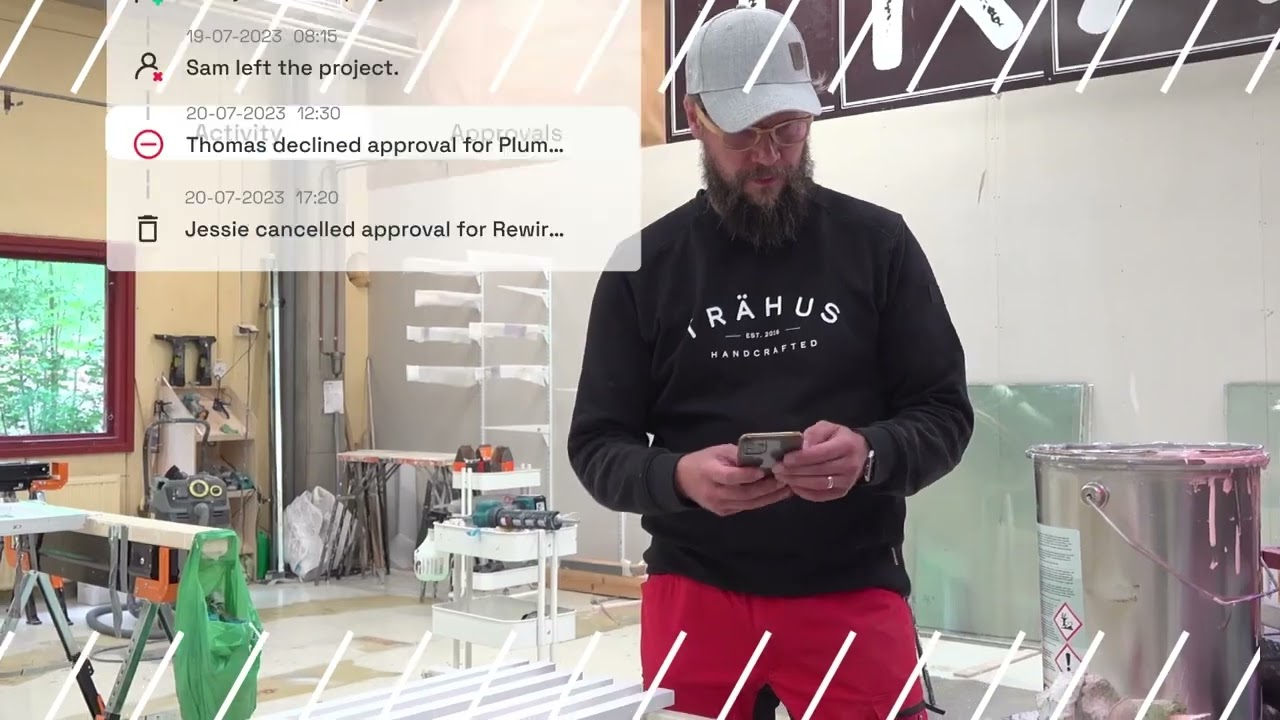
Thomas Noreila, CEO of Trahus, a Finnish renovation firm, was dealing with exactly this kind of field-to-billing disconnection.
After switching to Buildbite, his team's billing rate climbed from approximately50% to 95% of all hours worked, and rework fell to 30 hours across 60,000 invoiced hours over 12 months. The Trahus case study covers the full picture.
Keradur Service, a Finnish cleaning and property services company with 250 employees across multiple sites, ran into a different version of the same problem. Work instructions lived in supervisors' heads and got delivered by phone.
Quality varied between sites and shifts. When they moved those instructions into structured Buildbite workflows, phone-based communication dropped 25%, documentation and operational transparency increased 80%, and each supervisor recovered 1.5 hours per day. Billing clarity across service hours reached 92 to 95%, and service corrections fell below 2%.
The two cases are different industries, different team sizes, and different operational problems. The result is the same: when field activity sits inside a structured system instead of scattered across calls and messages, quality becomes consistent, hours become accountable, and the billing record reflects what was actually done.
Wondering what closing the field-to-billing gap looks like for your firm?
Use the ROI calculator to run your own numbers →
One honest constraint to note: Buildbite is not a plan viewer or BIM tool. Teams that rely on in-platform drawing markup and revision control will still need a dedicated solution for that workflow.
For construction managers whose primary friction is the connection from field activity to billing output, book a demo to see how that connection works for a team at your scale.
Frequently asked questions about Fieldwire pricing and reviews
Does Fieldwire have a free plan? +
Yes. Fieldwire offers a free Basic plan with unlimited users. It includes plan viewing and basic task management but excludes offline access, reporting, and advanced features like RFIs and custom forms. Paid tiers unlock those capabilities.
How much does Fieldwire cost for a team of 10? +
At the Pro tier ($39/user/month billed annually), a ten-person team costs $390 per month, or $4,680 per year. At the Business tier ($64/user/month billed annually), the same team costs $640 per month, or $7,680 per year. Both figures are based on internal users only. Before finalizing your budget, verify whether external collaborators require paid seats from Fieldwire's sales team.
Does Fieldwire work offline? +
Yes, offline access is available on Pro, Business, and Business Plus plans. Field crews can view drawings and update tasks without a site connection, and changes sync when connectivity returns. Offline access works well in practice, though some G2 reviewers have noted syncing friction and file upload issues when reconnecting to a signal.
What do users say about Fieldwire on G2 and Capterra? +
Fieldwire holds a 4.5 rating on G2 and 4.6 on Capterra. Plan viewing, task-to-drawing linkage, and ease of onboarding come up most in positive reviews. The recurring concerns are per-user costs beyond five or six people, and reports that require multi-screen navigation to generate.
What is the best Fieldwire alternative for construction teams? +
For construction managers hitting Fieldwire's limits on field-to-billing connection, per-user cost at scale, or task traceability, Buildbite is the most direct alternative. For a broader comparison across contractor workflows and team sizes, the Fieldwire alternatives guide covers seven different tools and which contractor workflows each one fits best.